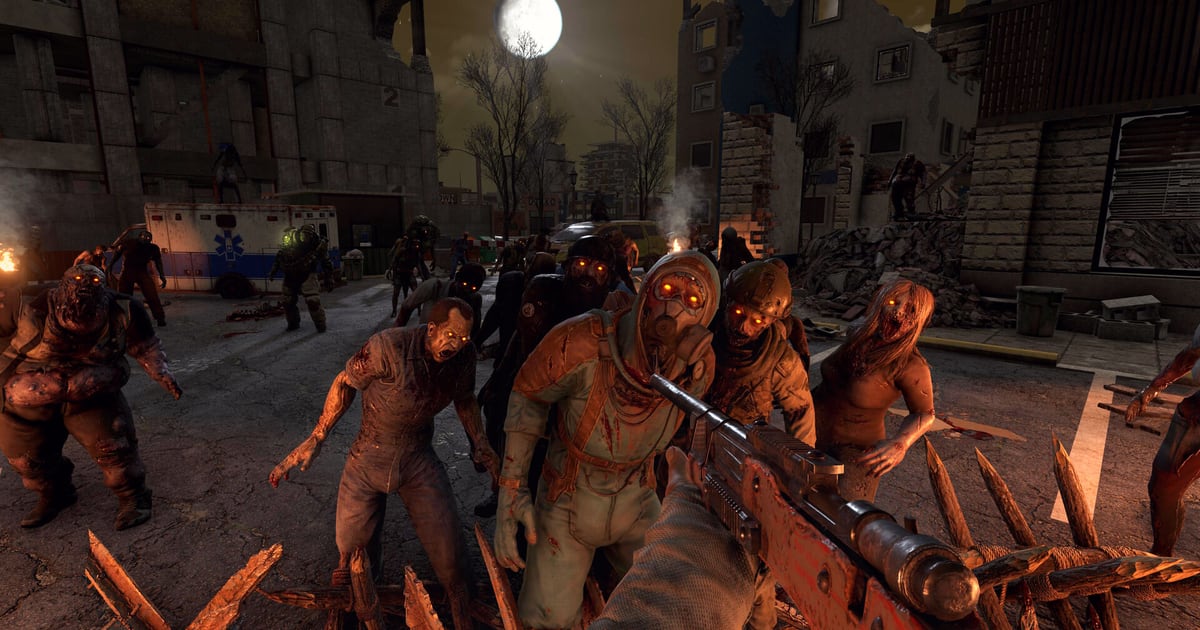
7 Days to Die’s V3.3.0 stable build arrived on 5 October 2026, and for once the headline feature is not a weapon or a zombie — it is where you put things. The Fun Pimps describe it as the Bigger Backpack system: a new inventory grid, craftable backpacks with quality tiers, and a slot ceiling nearly double what the base grid holds. The same patch, read against the horde-night rules the game has kept for years, is a good excuse to look at how much storage a base actually needs and which defence designs still hold a wave.
What this covers: How V3.3.0’s backpack slots work — the new grid, the Small/Medium/Large sizes, and what actually removes encumbrance — plus the horde-night base principles that still decide whether your defence holds. What changed on 5 October: An 8×6 inventory grid, backpacks in three sizes with six quality levels each, and a 96-slot ceiling once one is equipped. Who should read this: Returning players rebuilding a horde base, and newcomers starting on the V3.3.0 public branch.
What V3.3.0 actually changed
The patch notes open with the inventory rework. V3.3.0 “introduces a new inventory grid size of 8x6. That’s 4 rows of free-to-use slots and 2 rows of encumbered slots. A total of 48 slots which is 3 more slots than the legacy 9x5 grid,” The Fun Pimps write in the official V3.3.0 stable post. The old grid was 9×5, so the arithmetic runs 45 slots before, 48 after — three more, as the post says.
Backpacks are the second half. They “come in Small, Medium and Large sizes with 6 quality levels each,” and equipping one “into the new Backpack slot will grant the player additional encumbrance slots up to a total of 96 slots in an 8x12 grid.” The Pack Mule perk and Armor Pocket Mods, the post adds, “can then remove the encumbrance.”
| Inventory change | Before V3.3.0 | After V3.3.0 |
|---|---|---|
| Grid shape | 9×5 | 8×6 |
| Base slots | 45 (arithmetic on the post’s “3 more slots”) | 48 |
| Structure | — | 4 rows free-to-use, 2 rows encumbered |
| Ceiling with a backpack equipped | — | 96 slots in an 8×12 grid |
| Backpack sizes | — | Small, Medium, Large |
| Quality levels per size | — | 6 |
Not all of the patch is inventory. The changelog also lists a fix for “a possible rare deadlock between threads which could occur if a chunk-straddling MultiBlock was placed/removed/updated at the same time as the save system attempted to process culled (reset) chunks,” a respawn-logic pass where “conditions which could previously hang respawning now have timeouts that prevent a soft lock,” and a dedicated-server fix so vehicles “again properly check for inventory contents before allowing pickup.” The known-issues list is worth reading before you update a server: it includes not being able to sell the tenth item on your hotbar, a campfire food/drink bug that requires moving the item to your backpack first, and a Mac freeze when language options change.
How backpack slots actually work
The announcement gives the shape; it does not give the per-quality numbers. A community wiki, wiki.7d2d.net, publishes tables it says are “read from the V3.3.0 game files, build 25661908, the stable build since 5 October 2026.” Treat it as a secondary source, but its numbers line up with the official ones where they overlap. Its slot table:
| Backpack | Quality 1 | Quality 2 | Quality 3 | Quality 4 | Quality 5 | Quality 6 |
|---|---|---|---|---|---|---|
| Small | +2 (50 slots) | +4 (52 slots) | +6 (54 slots) | +8 (56 slots) | +12 (60 slots) | +16 (64 slots) |
| Medium | +18 (66 slots) | +20 (68 slots) | +22 (70 slots) | +24 (72 slots) | +28 (76 slots) | +32 (80 slots) |
| Large | +34 (82 slots) | +36 (84 slots) | +38 (86 slots) | +40 (88 slots) | +44 (92 slots) | +48 (96 slots) |
Two practical readings follow. A low-quality Medium beats any Small, and a low-quality Large beats any Medium, so size matters more than quality. And a quality 6 Large is the only bag that reaches the 96-slot cap the patch notes name.
The wiki’s second point is the one most players will notice in play: “A backpack adds slots, not freedom.” Of the base 48 slots, it says 32 (the four free rows) can be filled before you are encumbered; every item past that cut movement, which it reports as 1.1% per item. It adds that Pack Mule rank 5 frees 56 more slots, which still leaves 8 of a full 96-slot bag slowing you down — so pocket mods or a Lumberjack, Scavenger or Nomad outfit matter again.
Getting a bag is its own loop. Per the same wiki, backpacks have their own crafting skill, raised one level per Pack Rat Magazine, with Small unlocking at skill 5, Medium at 40 and Large at 75 (a quality 6 Large needs 100). Backpacks themselves appear in only one loot table, the Savage Country clothing crate, gated by loot stage — Small from 30, Medium from 88, Large from 146. Traders sell the magazines and the pocket mods, not the bags.
One behaviour worth knowing before you swap gear mid-fight: the wiki reports that unequipping a backpack does not delete its extra-slot contents. The items drop into a bag on the ground, and re-equipping and picking it up recovers them.
Horde-night bases: what V3.3.0 did not change
The V3.3.0 notes list no change to zombie AI or base defence, and the official 7 Days to Die wiki still describes the same Blood Moon rules a horde base is built against:
- Zombies always know where you are during a Blood Moon, so hiding is not a plan.
- They take the path of least resistance. If no open path exists, they break the weakest obstacle — which is why an intentional weak point lets you predict the route and concentrate defences there.
- A zombie that can find no path to you will attack blocks above or below you instead.
- A zombie that takes fall damage within 11 blocks of the player has a small chance of entering rage mode and attacking nearby blocks, which can include support blocks.
- When a zombie dies before its wave is complete, a replacement spawns. A longer path to you buys more repair time between arrivals.
Those rules explain why every viable design is really the same idea — choose the route, then defend it — and why no single blueprint fits every world. A base you cannot reach to repair mid-wave is a base that fails on the second wave, not the first.
Choose a design by readiness, not by calendar day
A 2026 guide from Gamers.Wiki, written to the V3.3.0 stable build, makes the case that the right horde base “depends on which systems you can support,” not on a fixed day number — because the V3.0 update added sandbox controls for enemy and Blood Moon damage, speed, rage, digging, game stage and horde frequency, range and count. Its four design families:
| Option | Ready when… | What it does | Where it can fail |
|---|---|---|---|
| POI or simple elevated position | Materials are limited and the existing supports check out | Reuses a position or reduces new construction | Layout or supports do not suit the horde pressure |
| Killbox or controlled corridor | You can build and repair a defined approach | May focus the approach and make repairs easier to plan | The route does not hold, or lane damage gets hard to manage |
| Pit or moat | You can inspect the approach and account for bridges | Adds a terrain obstacle to test | Zombies do not take the route you expect |
| Powered defences | Power, ammo, support and repairs are all sustainable | Adds trap automation to an established position | A support or supply need fails mid-horde |
The same guide is careful about corridors and pits: “A corridor can focus an approach, but zombies may attack blocks instead; reliable pit funneling and exact V3.3 pathing outcomes are unresolved.” It also notes the 2025 developer discussion in which TFP developer faatal said zombie types differ in how they weigh longer paths and block health — so a corridor is a plan for the approach, not a guarantee every zombie files through it. If you build one, keep the lane reachable so you can patch the blocks zombies hit instead.
The turret rule to re-check before you rebuild
One constraint carried over from the previous stable is easy to miss. The V3.2.0 patch notes, circulated for consoles as update 1.320.001, state that “Auto turrets can no longer be placed on walls or use stability support” — a change UpdateCrazy’s patch-notes roundup carries in full. The V3.3.0 notes list no reversal, so a turret is not a support block and cannot be wall-mounted. Any old blueprint that hung defences off a wall-mounted turret needs the support reworked in cobblestone or better before the next Blood Moon.
For anyone jumping back in, the wider context is that The Fun Pimps split off a dedicated team for smaller updates between major releases, with “work on v4.0” continuing “in parallel” — the framing the V3.2.0 notes gave for the 3.x cadence. V3.3.0 is one of those smaller updates, which is why its changelog is inventory and stability rather than a systems overhaul.
If the storage maths above is the part you want to plan around, the genre-level loop itself is worth a refresher in Survival-Craft: The Five Axes That Split the Genre — the same gather-build-defend logic, one level up.