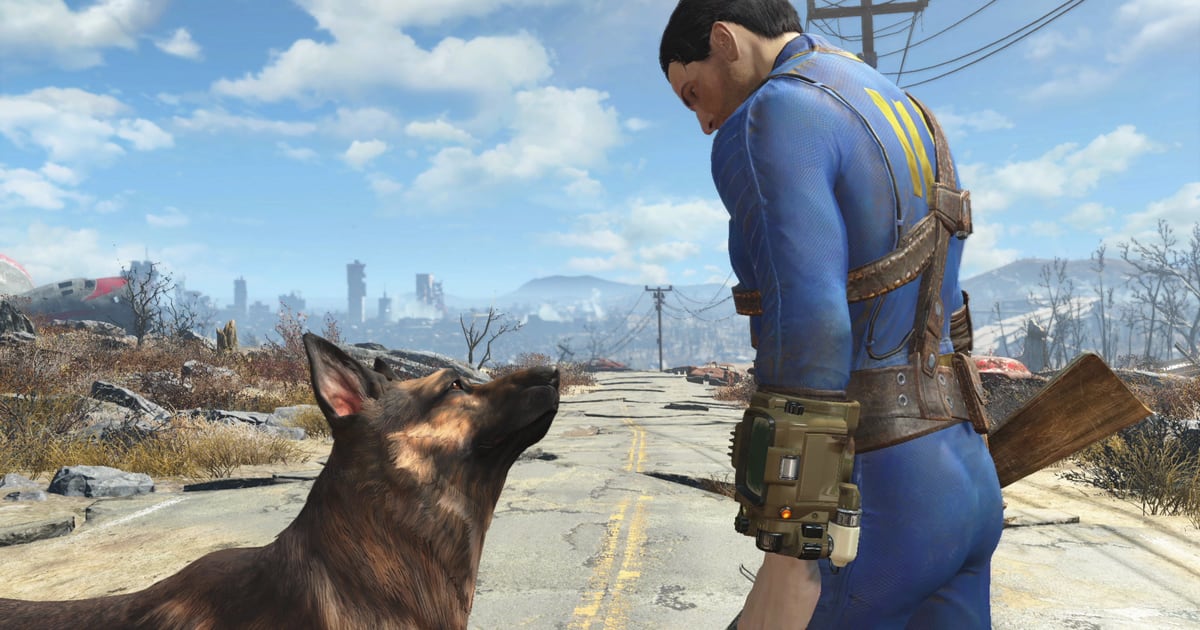
Fallout 4 shipped in 2015 and still runs one of the largest mod libraries on PC. On August 18, 2026, Bethesda changed the number that library is measured against: the game’s BA2 archive limit moved from 256 to 1024. The publisher’s own patch notes give one reason — the increase is “to better accommodate larger collections of mods.” The same update also moved the game onto a new runtime, and for PC players running script-heavy setups that second fact was the one they felt first.
The two are not in tension. They are the same event seen from opposite ends: Bethesda raised a ceiling that had been blocking big mod collections, and in doing so rebuilt the foundation that the most advanced collections stand on, which means those collections need re-checking before they load.
What changed: Fallout 4’s August 18, 2026 update raised the BA2 archive limit from 256 to 1024, added PlayStation archive support to the Creation Kit, and lifted the Xbox upload cap to 2 GB per Creation. Why it matters: the archive limit was the practical ceiling on how much packed content the engine would load, so large texture-and-quest collections gain real headroom — but the same update moved the PC build to runtime 1.11.240, which resets the F4SE plugin chain. Who should care: players running hundreds of mods, Creation authors shipping to PlayStation and Xbox, and anyone whose load order depends on F4SE, native plugins or the Address Library.
What a BA2 archive actually is
Most Fallout 4 mods arrive as two things: a plugin file (.esp, .esm or .esl) that tells the engine what to load, and the assets that plugin points at. Those assets can sit loose on disk or be packed into a .ba2 archive — the game’s own container format. Packing is the recommended route in the community’s own tooling documentation: the Nexus Mods article “BA2 and Archive2” by modder Qrsr puts it plainly, saying “Packing loose files into BA2 archives is highly recommended. It reduces stuttering and improves load times because the engine can read a single large file faster than thousands of tiny ones.”
Here is where the 256 figure comes from, and why raising it is not cosmetic. That same article records the hard ceiling directly: “The game has a hard limit of approx. 256 or 1024 BA2 archives depending on the version. Exceeding this often leads to crashes on load.” The article then notes the change under the current version number — “v1.11.240: Archive limit was set to 1024.”
| Layer | What it is | What the August 18 update does to it |
|---|---|---|
| BA2 archive count | Packed asset containers the engine loads | Raised from 256 to 1024 |
| Plugin files | .esp / .esm / .esl that load archives and records | Bethesda’s notes do not describe a change here — each archive still needs its matching plugin |
| Loose files | Assets left unpacked in Data\ | Unchanged; loose files still override archives |
| F4SE and its plugins | Runtime-dependent script extender layer | Reset by the new runtime, then rebuilt by third parties |
Two details from the Nexus guide matter for reading the headline correctly. The first is naming: “Archives require a matching plugin (.esp, .esm, or .esl) to load. The archive must share the plugin’s exact name followed by the correct suffix” — a plugin called Whatever.esp is expected to be paired with Whatever - Main.ba2 and Whatever - Textures.ba2. The second is a qualifier the publisher’s one-line note does not carry: “Texture archives usually do not count toward this specific limit in the same way, but a safe general rule is to keep your total archive count under 256/1024.” That caveat is the community’s reading of the engine, not Bethesda’s, and it is worth holding as a rule of thumb rather than a specification.
What “quadruples your mods” leaves out
The trade press ran the arithmetic. GamesRadar’s Anna Koselke wrote that the patch “increases ‘the BA2 archive limit from 256 to 1024 to better accommodate larger collections of mods’” and concluded that “the patch essentially quadruples the amount of Fallout 4 mods we can have.” Players quoted in her piece went further: one called it “actually a goated update just for the BA2 limit,” another said the “BA2 limit was out of left field and massive,” and others explained it “literally quadruples the engines mod count.”
Four times 256 is 1024, so the multiplier is right. What the framing compresses is what is being multiplied. The 256 number counts archive files, not mods and not plugins. A single large mod can ship several archives — the Nexus guide’s naming convention alone anticipates two per plugin, one for meshes, scripts and materials and one for textures. A collection of 400 mods that packs everything and splits textures could plausibly approach or pass the old ceiling; a collection of 400 lightweight mods that leave assets loose might never have come near it. The limit that was raised is real and, for a specific kind of installation, it was binding. It is also narrower than “mods.”
For contrast, our Baldur’s Gate 3 mod primer covers how Larian handles a comparable ceiling — a stated cap on the number of active mods that can be loaded into a save. Same class of problem, different mechanism, and neither limit is the same as the other.
The console side got more than a number
The BA2 change is a PC story. The rest of the August 18 update is largely a Creations story, and for console players it is the larger half:
| Area | Change (Bethesda’s patch notes) |
|---|---|
| PlayStation | “Archives are now supported on PlayStation,” with .nif, .dds, .bink, .cdx, .csg, .wav and .fuz (with embedded .wav) added as allowed file types for PlayStation Creations |
| Xbox | “Creations up to 2 GB in size can now be uploaded” |
| Creation Kit | Localization export support; Bink files can be added to uploads through an Extra Files browser; “Search and Replace” updated to align with Starfield, adding “Select Form in Object Window” and “Open Form Editor” buttons |
| Crashes | Steam Deck virtual-keyboard crash; a “top crash” from a streaming audio error; a Microsoft Store crash when entering the Creations menus after resuming internet connectivity |
| Bug fixes | Search now returns players to a Creation’s Details page; category lists sort “more consistently”; service error messages now carry codes |
GamesRadar reads the PlayStation entry as mods being able to use custom assets on that platform — a capability players had asked for over several years. Bethesda’s own wording is narrower: archives are supported, and a fixed list of file types is now allowed. The practical effect is the same direction, and a Creation author still has to recombine geometry for it to work, which the next update’s notes make clear.
That follow-up arrived on October 15, 2026. Its PlayStation-only fixes show how fresh the console archive path still is: a crash tied to NPC FaceGen when Creations add NPCs, and a “temporary solution to prevent looping .wav file crashes,” with Bethesda stating that looping audio from Creations “should be considered only partially supported on PlayStation.” The Creation Kit fixes in the same patch were about archiving itself — PC-to-PlayStation .nif conversions for “filtered PreCombines,” an intermittent failure to find files to archive, Bink files missing from Extra Files, and .ssf files not being on the allowed list when packing archives.
Why your modlist still needs a rebuild
Here is the part the archive headline buried. The August 18 update took the PC build to runtime 1.11.240, and F4SE — the Fallout 4 Script Extender that most advanced mods sit on — is built against an exact game version. The status tracker MODLAG states the rule without hedging: “F4SE, the Fallout 4 Script Extender, works with the exact game version it was built for. When Bethesda updates Fallout 4, F4SE and every F4SE plugin stop loading until the F4SE team releases a new build.”
That rebuild happened fast, and in stages:
| Component | Version | Availability |
|---|---|---|
| Game runtime | 1.11.240 | August 18, 2026 |
| Fallout 4 Script Extender | 0.7.9 | August 18, 2026 — the same day as the patch |
| Address Library for F4SE Plugins | 1.11.240 | August 21, 2026 — three days after the patch |
The Address Library entry is the one worth pausing on. Its Nexus Mods page carries a version number that matches the runtime — 1.11.240 — and lists a last-updated stamp of 21 August 2026. The library “provides version independent IDs used for dynamically relocating offsets at runtime,” which is a formal way of saying that when Bethesda moves functions inside the executable, the library has to learn the new addresses before the plugins built on it can find anything. MODLAG’s tracker records the gap as three days for this patch.
Univers-Simu’s write-up of the release names the resulting dependency chain in order: “Fallout 4 → F4SE → Address Library → F4SE plugins → mods.” Its point is that any single unadapted link stalls whatever depends on it, and its report from the Address Library comments at the time was that “some players explain that they can no longer launch their installation correctly, while others are waiting for the library update.” That was written before the library landed; the sequence is now complete, which is exactly the state a player should verify against their own installed versions rather than assume.
What survived, and what did not
Not every mod needs the chain rebuilt. Univers-Simu’s summary is that “relatively simple mods using textures, models, ESP/ESM plugins, or standard scripts may still work perfectly well,” and that it is “primarily the elements that depend directly on the runtime, F4SE, and native plugins that require special attention.” MODLAG repeats the same split from the other direction, listing what keeps running after a patch: “Mods that are only plugins (.esp, .esm, .esl) and assets don’t use F4SE and keep working,” while “plugins built on Address Library usually work again as soon as it’s updated; others wait for their authors.”
So the honest answer to “did this patch break my game” is that it depends on what is in it. A texture pack or an armour replacer is in a different category from a mod that hooks the executable through a native .dll. The Nexus BA2 guide adds a related reminder for anyone repacking: .dll files for F4SE and .json files for MCM “must remain as loose files; the game cannot read them from inside a BA2.”
The archive limit is the end of a longer thread
The ceiling did not move in isolation. Bethesda’s patch notes page shows a run of storage work that led to it.
| Date | Update | Headline |
|---|---|---|
| November 17, 2025 | Hotfix | Addressed Creations that depend on DLC, improved Creations-menu stability on PS4 and Xbox One |
| December 16, 2025 | Patch | Creations UI and crash fixes; the studio said the console storage expansion needed “a little more time” and would wait until the new year |
| February 10, 2026 | Update | PlayStation 4 Anniversary Edition fix for missing DLC |
| May 27, 2026 | Creation Storage Expansion | Xbox One up to 15 GB, Xbox Series X|S “growable up to 100 GB,” PS5 approximately 15 GB, PS4 approximately 16 GB |
| August 18, 2026 | Update | BA2 archive limit raised 256 → 1024; PlayStation archives; 2 GB Xbox Creations |
| October 15, 2026 | PlayStation and Creation Kit Update | FaceGen and looping-.wav crash fixes; archive-packing fixes |
The May expansion is the clearest look at intent. It raised the amount of space Creations could occupy, and it also shows the cost of moving storage around: on Xbox, “Installed Creations will be cleared on first launch after the update,” with the studio directing players to restore a load order or load a save made since the Anniversary Edition launch on November 10, 2025. Raising a limit and rearranging storage both force a rebuild on the user side. The August update did the same for archives and for the runtime in one move.
Before you launch
Bethesda framed August 18 as a Creations update and, per GameRant’s Drew Swanson, recommended beforehand that players “manually save their load order before installing the update,” adding that once the load order is saved they “should be able to re-download their entire Creations list with no issues.” GameRant also reported that Bethesda’s post noted a similar update for Skyrim was in production — worth watching if you run that scene too, since the same runtime-reset logic would apply.
For anyone who has not yet updated, Univers-Simu’s closing advice is blunt: if a large modded install is running and the update has not been forced yet, now “is probably not the best time to frantically click ‘Update.’” The archive limit is worth having. It is just cheaper to arrive at it with a backed-up load order and known component versions than to discover the chain was broken mid-playthrough.
If this is your first time managing a modded Bethesda game, the same structural questions come up in RimWorld’s 1.7 Waylith engine notes and in the Garry’s Mod 64-bit transition, where a platform change and an engine change respectively forced comparable rounds of mod verification.