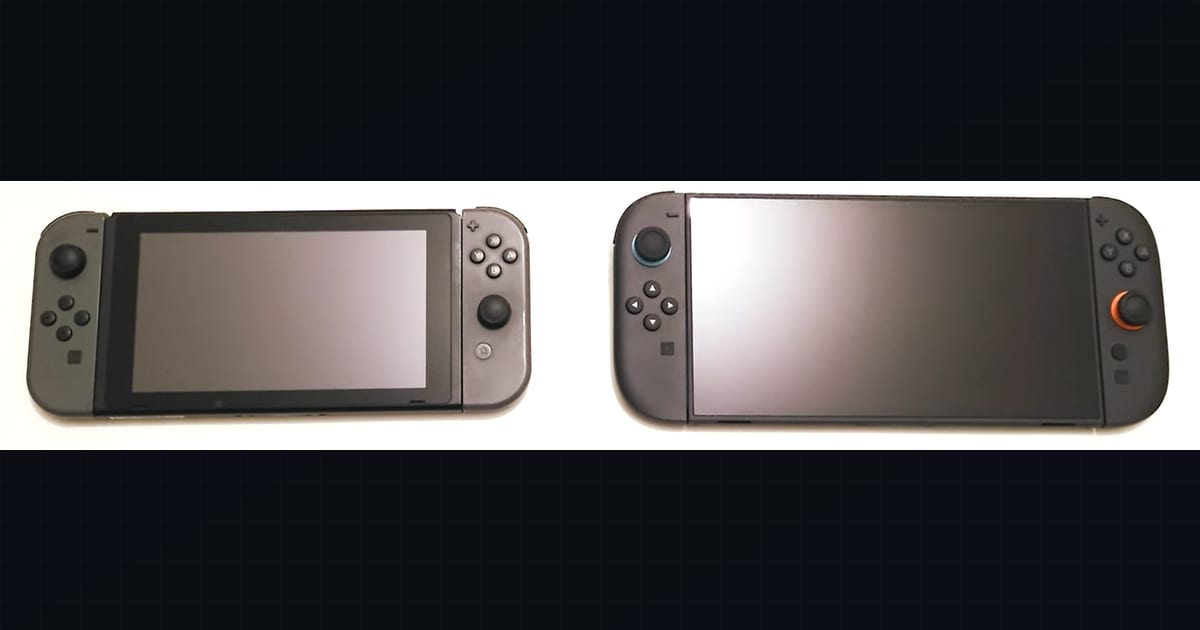
The Nintendo Switch 2 is a single piece of hardware that behaves like two different consoles depending on whether it is in the dock or in your hands. The interesting part is not that docked mode is faster — that was true on the original Switch too — but that the gap is now bridged by NVIDIA DLSS, an AI upscaler that lets the system spend GPUGPU. Graphics Processing Unit — the chip that renders the game's visuals; the main driver of framerate and image quality. budget on resolution it never actually rasterizes. This piece breaks down what each mode actually delivers and what DLSS is doing underneath.
What it covers: Docked vs handheld performance on Switch 2, and what DLSS reconstruction contributes underneath each profile. Why it matters: The dock/handheld gap is now bridged by AI upscaling — raw specs tell you less than ever. Who should pick this: Switch 2 owners deciding where to play, and hardware watchers tracing the reconstruction trend.
The single-chip, two-profile design
Switch 2 is built around a custom NVIDIA system-on-chip, commonly identified as the T239, paired with 12 GB of LPDDR5X memory. The CPU is an 8-core ARM Cortex-A78C cluster, and the GPU uses NVIDIA’s Ampere architecture with dedicated Tensor cores — the same class of hardware that enables DLSS on GeForce RTX cards. That last detail is the load-bearing one: Tensor cores are not general-purpose graphics hardware, they exist specifically to run the neural network that reconstructs a high-resolution image from a lower-resolution render.
Because the battery and the thermal envelope are fixed, the chip runs at two calibrated profiles:
- Docked: higher clocks, more available power, target output up to 4K (upscaled). The dock also routes video over HDMI and engages the cooling fan at a higher duty cycle.
- Handheld: lower clocks to stay inside the ~15W battery budget, target output at the panel’s native resolution, lighter thermal load.
The screen is a 7.9-inch LCD at 1080p native (with HDR10 and VRR up to 120 Hz), a deliberate step back from the original Switch OLED’s panel tech in exchange for size and a higher refresh target. The shift back to LCD was a cost and supply decision, and it matters for how DLSS output looks in handheld — LCD viewing angles and contrast are less forgiving of upscaling artifacts than a self-emissive OLED.
Docked vs handheld: the actual delta
The performance delta between the two modes is not a single number; it is a combination of clock speed, render target, and cooling headroom. Published teardowns and profiling put docked GPU throughput and memory bandwidth noticeably above handheld — the GPU clocks roughly 1.8x higher docked than in handheld, and bandwidth rises from 68 GB/s to 102 GB/s. (Notably, the CPU clock actually runs slightly higher in handheld than docked, an apparent compensation for the lower memory bandwidth.) The practical effect is that the same game can target a higher internal resolution and framerateframerate. How many images (frames) the game shows per second; higher = smoother motion. 60 fps is a common target. docked than it can unplugged.
A rough profile of what developers actually target:
| Aspect | Docked | Handheld |
|---|---|---|
| Output resolution | Up to 4K (upscaled via DLSS) | ~1080p native panel |
| Typical internal render | 540p–720p, upscaled | 360p–540p, upscaled |
| Framerate ceiling | 60 FPS common, 120 in select titles | 60 FPS common, 30 in heavy games |
| Power budget | Wall-powered, full TDP | Battery-limited (~15W) |
| Cooling | Fan at higher duty | Fan throttled for noise/battery |
The key insight is that “4K docked” almost never means 4K rasterized pixels. The GPU renders internally at roughly half to a third of the output resolution and hands that frame to DLSS, which reconstructs the missing detail. This is the same strategy PlayStation 5 Pro uses with PSSR and that PC players use with DLSS or FSR — render small, reconstruct large. The difference is that Switch 2 is doing it from a much smaller silicon budget, which is why the internal render resolutions are as low as they are.
Why the handheld ceiling is real
In handheld mode the constraint is not the GPU’s peak capability — the same silicon can run fast — it is the battery. Sustained high clocks drain the pack and push thermals past what a fanless-ish handheld can dissipate. Developers therefore target a lower internal resolution and framerate in handheld, and DLSS is what keeps the image from looking like a 360p smear on a 1080p panel. Without DLSS, the handheld profile would either need much more aggressive native rendering (impossible on this power budget) or accept visibly soft output.
This is the structural reason Switch 2 can ship the same game docked and undocked without two separate builds: DLSS normalizes the image quality across a wide internal-resolution range. The framerate, by contrast, is still capped by the raw CPU and GPU work the simulation demands, which is why some heavy titles drop to 30 FPS in handheld even when they hold 60 docked.
What DLSS actually contributes
DLSS — Deep Learning Super Sampling — is an image-reconstruction technique. It renders a frame at a low internal resolution, then runs a trained neural network on the Tensor cores to produce a higher-resolution frame that approximates what a native render would have looked like. The network is trained on high-quality reference imagery and learns to infer detail — edges, textures, fine geometry — that the low-res input does not explicitly contain.
The contribution to Switch 2 is concrete and measurable in three ways:
- Effective resolution without the pixel cost. A game can render at 540p and output a 1080p or 1440p image that is closer to native than a simple bilinear or temporal upscale would produce. The GPU spends flops on simulation, lighting, and geometry instead of brute-forcing pixels.
- Headroom for framerate. Because the internal render is small, the frame budget per second is cheaper, which is how some titles hit 60 FPS on hardware that could not rasterize 4K/60 natively.
- Image stability over time. DLSS uses motion vectors from prior frames (temporal feedback), so it tends to produce steadier edges and less shimmer than classic upscaling, especially in motion.
What DLSS does not do
It is worth being precise about the limits, because the marketing around “AI 4K” invites the wrong mental model.
DLSS does not add information that was not in the scene. It cannot reconstruct a texture the engine never drew or recover geometry that was culled. It produces a plausible high-resolution approximation, not a ground-truth render. Under fast motion, fine high-contrast detail — foliage, fences, hair, distant UI elements — can still shimmer or ghost, because the temporal feedback has to guess at detail the low-res input blurred out. This is the same artifact family PC players see with DLSS Quality modes, just more pronounced because Switch 2’s internal resolutions are lower than what an RTX 4070 would use.
DLSS also does not raise the framerate ceiling on its own. It makes a given framerate cheaper to achieve by lowering the render cost; if the CPU is the bottleneck (simulation, AI, physics), DLSS on the GPU side does not help. This is why some Switch 2 titles are GPU-limited and benefit visibly from DLSS, while others are CPU-bound and see little change.
DLSS vs frame generation
A common confusion is conflating DLSS upscaling with DLSS Frame Generation — the technique that interpolates entire frames to double perceived framerate on RTX 40-series cards. Switch 2’s DLSS implementation is focused on super-resolution upscaling — the SDK exposes DLSS 1x/2x/3x modes (the handheld equivalents of PC Performance/Balanced/Quality) plus DLAA, with no evidence of multi-frame frame generation shipping on titles to date. Frame generation adds latency and demands a high base framerate to look correct, which makes it a poor fit for a handheld that often targets 30–60 FPS natively. Treat “DLSS on Switch 2” as image reconstruction, not frame interpolation, unless a specific title documents otherwise.
How developers actually use it
Because DLSS is a per-game integration, the experience varies by title. Developers choose the internal render resolution, the DLSS quality preset, and whether to pair it with other techniques (dynamic resolution scaling, TAA, anti-aliasing). The same hardware can therefore produce very different results:
- First-party Nintendo titles generally lean on DLSS to hold 60 FPS at a clean image, with conservative internal resolutions and tight tuning to minimize artifacts. Mario Kart and the flagship platformers tend to prioritize stable framerate over peak sharpness.
- Cross-platform ports arriving from PS5/Xbox Series hardware use DLSS as the bridge that lets a PS5-targeted game run at all on Switch 2’s smaller GPU, often at lower internal resolutions and reduced settings elsewhere (draw distance, texture streaming, RT effects off).
- Backward-compatible original Switch games run without DLSS — they were authored for the old hardware’s pipeline and are not retroactively upscaled by the system. Switch 2 simply runs them faster and cleaner via higher clocks and, in some cases, system-level enhancements.
The variability is the honest story: DLSS is a tool, not a guarantee. Two games on the same console can look meaningfully different because one studio tuned the upscaler well and the other did not.
The bottom line for performance-minded players
Docked mode buys you a higher output resolution target (up to 4K), a higher sustained framerate ceiling, and the cooling headroom to hold both. Handheld mode trades both down to fit the battery, and DLSS is the reason the handheld image still holds up at a 1080p panel driven by a sub-540p internal render. If you are choosing where to play a given title, the rule of thumb is straightforward: dock for image quality and framerate headroom, handheld for convenience, and expect first-party software to show the smallest docked-to-handheld gap because Nintendo tunes both profiles against the same panel and the same upscaler.
The Switch 2’s performance story is less about raw specs and more about how aggressively it leans on reconstruction to make a small chip punch above its raster weight. That is the same thesis driving the entire current console generation — the PS5 Pro’s PSSR, Xbox’s FSR-based upscaling, and PC’s DLSS/FSR/Xess stack — and Switch 2 is simply the most power-constrained instance of it.
Sources & further reading
- Nintendo official Switch 2 product page — https://www.nintendo.com/us/gaming-systems/switch-2/
- Nintendo Switch 2 technical specifications (official) — https://www.nintendo.com/us/gaming-systems/switch-2/tech-specs/
- NVIDIA developer coverage of DLSS technology — https://www.nvidia.com/en-us/geforce/technologies/dlss/
- Digital Foundry Switch 2 hardware analysis — https://www.digitalfoundry.net/articles/digitalfoundry-2025-nintendo-switch-2-final-tech-specs-and-system-reservations-confirmed
- Nintendo Switch 2 technical overview, Wikipedia — https://en.wikipedia.org/wiki/Nintendo_Switch_2
- Nintendo developer interview on Switch 2 architecture (Nintendo Ask the Developer series) — https://www.nintendo.com/us/gaming-systems/switch-2/ask-the-developer/
Next read
- For the upscaler this analysis leans on, see DLSS 4 vs FSR 4 vs XeSS 2: The 2026 Upscaler Comparison.
- For the rest of the launch picture, see Nintendo Switch 2 Launch Library and Backward Compatibility.
- For the same reconstruction thesis on a bigger chip, see PS5 Pro PSSR Upscaling: How It Works vs FSR.