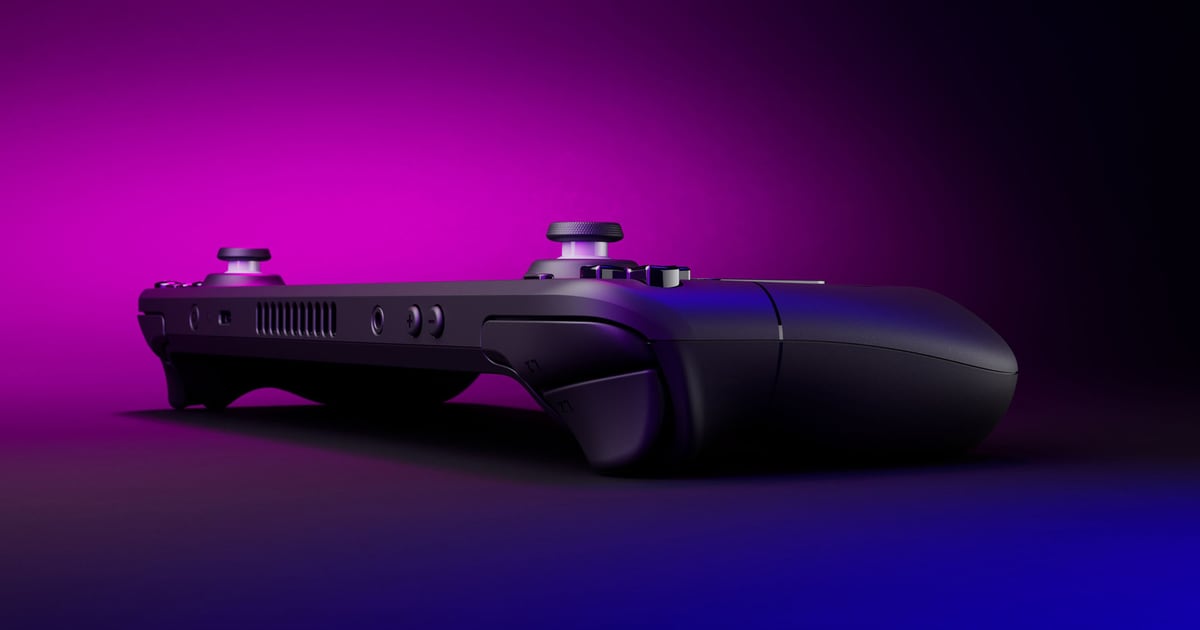
The Verified badge is the most consequential label Valve puts on a store page, and almost nobody who reads it knows what was tested. When Keen Games confirmed the badge for Enshrouded, this site covered the announcement itself (Enshrouded Earns Steam Deck Verified). This piece is the part that outlives any one announcement: the published criteria behind all four badges, what each one certifies, and the specific cases where the label is a poor guide to the experience you will actually get.
Everything below comes from documentation Valve writes for partners and customers rather than from community testing, because the criteria are written down. Where a question is not answered on a page Valve publishes, this article says so instead of filling the gap. The advice assumes the compatibility programme as documented on 2 November 2026, including the Steam Machine additions; there is no numbered patch to pin it to.
What this covers: Valve’s four compatibility badges — Verified, Playable, Unsupported and Unknown — the review checklist behind them, and the parts of a game’s behaviour the badge does not describe. Why it matters: the badge decides whether a game launches cleanly on a handheld, and the two middle categories are routinely read as pass or fail when neither is. Who should care: anyone buying for a Steam Deck, a Steam Machine or another SteamOS device, and anyone treating a Playable rating as a reason to skip a game.
The four badges, in Valve’s own definitions
Valve’s customer-facing page compresses the whole programme into four checks — input, display, seamlessness, and “system support”, which it defines as the game and all its middleware being supported by Proton, “including anti-cheat support”. The partner documentation carries the same four categories with the exact definitions used to assign them.
| Badge | Valve’s definition | What it means on a store page |
|---|---|---|
| Verified | “Your game passes all compatibility checks. No configuration work is required for users to access all game functionality.” | Default settings and default controls reach everything |
| Playable | “Your game functions on Deck/Machine, but may require manual work from the user.” | The game runs; something may need fixing first |
| Unsupported | “Your game does not function on this device due to incompatibility with Proton or specific hardware components.” | It will not run as shipped |
| Unknown | “This game has not completed the compatibility review process.” | Nobody at Valve has tested it yet |
The row that people misread is the second. Playable is not a demerit grade, and it is not a soft Unsupported. Valve’s own examples of why a title lands there are narrow, mechanical problems: “manually selecting a community controller config, requiring the user to manually bring up the on-screen keyboard, or requiring the user to use the touchscreen (on Deck) to navigate a launcher.” Each is a configuration change rather than a missing capability, and each is a long way from a game that cannot run.
What Verified actually certifies
Valve states plainly that most failures in this category “will cause your game to appear with a Playable badge” — which makes the checklist worth reading item by item, because it defines the difference between the two ratings.
| Requirement | The bar Valve tests against |
|---|---|
| Controller support | The default controller configuration must reach all content, with no in-game setting change needed to enable it |
| Controller glyphs | On-screen glyphs must match the active input; keyboard and mouse glyphs must not appear while the default config is in use |
| Text input | Either a Steamworks API that opens the on-screen keyboard, or a built-in text entry that works with a controller alone |
| Default framerateframerate. How many images (frames) the game shows per second; higher = smoother motion. 60 fps is a common target. | The shipped default configuration must hit 30fps at 800p on Steam Deck, or 30fps at 1080p on Steam Machine |
| No compatibility warnings | The game must not tell the user that the OS or GPUGPU. Graphics Processing Unit — the chip that renders the game's visuals; the main driver of framerate and image quality. is unsupported |
| Launchers | Any launcher must meet the same requirements, including full controller navigation |
| Resolution (Deck) | Must run at a resolution the Deck supports; 1280x800 preferred, 1280x720 accepted |
| Text legibility (Deck) | Smallest character at least 9 pixels tall at 1280x800, readable at 12 inches / 30 cm; 12px recommended |
Two entries on that table deserve their own paragraph.
The frame-rate bar is 30fps, not 60. Verified certifies that the shipped default configuration reaches a “playable framerate”, defined as 30fps at 800p on the Deck and 30fps at 1080p on the Machine. Every Steam Deck model — the 256GB LCD and both OLED capacities listed on Valve’s hardware page — has a 1280x800 display, with the OLED panels running up to 90Hz. So a Verified badge tells you the floor was cleared on a 1280x800 panel; it tells you nothing about headroom above the floor, and nothing about what the game does at the OLED’s higher refresh rate.
The 9-pixel text rule is a Deck-only test, and Valve explains why: display tests “are not performed for Steam Machine because resolution and text size could vary depending on the size and type of display being used.” A Machine rating therefore certifies input and seamlessness work without certifying anything about how the interface reads on your television.
The recommendations are where the badge stops
Valve says outright, on its compatibility page, that its recommendations “do not affect compatibility badging”. The recommendations themselves live in a second, longer document, which covers what separates a game that passes from a game that feels native: Vulkan as the primary graphics API, standalone codecs such as VP9 or AV1 instead of vendor-bound ones, cloud saves via Steam Cloud, graphics settings saved per device rather than synced, support for aspect ratios beyond 16:9 and 16:10, single-player content playable offline including the first run on a new account, and functionality moved out of launchers and into the client.
That list is the honest answer to “Verified means it plays well”. Verified means it plays without configuration. A game that ships no cloud saves, locks graphics settings to one profile and needs a connection to reach its menu can still carry the badge, because none of those are on the checklist.
Unsupported: Proton, middleware, anti-cheat
Valve says an Unsupported rating “almost always” comes from one of two problems. The first is middleware or a technology the device does not support — and Valve names the families: “Some anti-cheat providers are currently unsupported, for example, as are some media codecs used for video or audio.” The second is a piece of Windows functionality not yet implemented in Proton.
The anti-cheat half is documented in more detail on Valve’s Proton page for partners. Proton “supports some common anti-cheat middleware, including Easy Anti-Cheat and BattlEye”, but neither works by default: the Kamu build of Easy Anti-Cheat needs the developer to enable Linux as a client platform on the anti-cheat partner site and ship the Linux library next to the Windows one, and BattlEye “requires a manual configuration step” for each title. Valve also draws a hard line at the kernel: “Kernel-space solutions are not currently supported and are not recommended,” with user-space components preferred because they can run in the Wine environment.
That is why anti-cheat, rather than raw performance, decides the outcome for a large share of multiplayer titles, and why the rating can change without the game changing — Valve’s page states that a title previously “blocked or limited by anti-cheat” can be resubmitted for a follow-up review once the developer completes those steps. For why kernel-level anti-cheat and Linux compatibility collide in the first place, see Kernel Anti-Cheat Architecture: Ring 0 Drivers & Hypervisors.
Valve lists two other known problem areas for partners, both of which show up as launch failures rather than performance problems: launchers built on .NET or WPF, and codecs tied to Windows Media Foundation. Proton itself is described in its own repository as “a tool for use with the Steam client which allows games which are exclusive to Windows to run on the Linux operating system”, built on Wine — and the same README tells ordinary users to run “Proton provided by the Steam Client itself” rather than a self-built version.
Unknown is not a verdict
Unknown is common, and the documentation explains why the queue looks the way it does. Valve notes that “there are tens of thousands of titles already released on Steam”, with new titles and game updates publishing every day. A game enters review one of three ways: an automated heuristic picks up a back-catalogue title, Valve decides a title matters to its hardware customers, or a partner requests a review through the partner site — a route Valve notes is “not available to all partners” and is being widened over time.
Two details follow from that. Reviews are aimed to complete “within a week of submission”, and if a partner takes no action the results publish automatically after roughly a week, so Unknown is usually a queue position rather than a suspicion. And eligibility is narrow: “this process is only available for games. There is no compatibility review process for other app types, e.g. demos, DLC, tools, or soundtracks, other than in exceptional cases.” A demo, a soundtrack or a tool showing Unknown is not evidence of anything.
Three ratings now, not one
The programme no longer produces a single verdict. A completed review returns a rating for Steam Deck, a rating for Steam Machine, and one for “all other compatible SteamOS devices” — and Valve states that Deck and Machine ratings “are independent for any given title.” The one guarantee runs in a single direction: “Any game that is Verified on Steam Deck is guaranteed to be Verified on Steam Machine as well.”
Read that pair carefully and the practical rule falls out. A Deck Verified badge is safe to carry over to the Machine. A Deck Playable badge tells you nothing about the Machine rating, which may be better or worse, and a Deck Unsupported badge does not by itself describe the Machine.
What the badge does not promise
Four limits are worth carrying into any purchase.
It is not an availability gate. Valve: “The results of a compatibility review will not affect whether your game is available to customers on Deck or Machine, but will affect how it is presented.” Unsupported games stay in the store and in the library, and removing a product from the device’s store “isn’t a supported feature”.
It is not permanent. Valve re-reviews titles automatically when a new Proton version ships, when new tests are added to the process, or when user or developer reports suggest the data is wrong. A rating can fall after a Proton release; in that case the game “will continue to run on the best available stable version of Proton until the issue is resolved.”
It is not a per-update guarantee. The rating describes the build that was tested, and Valve’s advice to partners with a broken build is to ship a fix and request a re-review.
It is not model-specific. Valve states that “all titles that have been tested, maintain those ratings for both LCD and OLED models.”
How to read a store page in ten seconds
- Check the badge before the price. Verified means no setup, Playable means some, Unsupported means none.
- If it says Playable, open the compatibility details panel on the store page or in your library — the badge is a summary and the panel is the detail behind it.
- If it says Unsupported, read the reason class before writing the game off: anti-cheat and codec problems are developer-fixable and often get fixed, while a title nobody has touched stays put.
- If it says Unknown, treat it as untested rather than broken — plenty of Unknown titles are simply outside a queue that only covers games.
The badge answers one question well: will this start and be controllable without me editing anything. Everything else — frame rate above 30, save portability, offline play, readability on a television — is on Valve’s recommendations list, which is advisory and which the badge says nothing about.