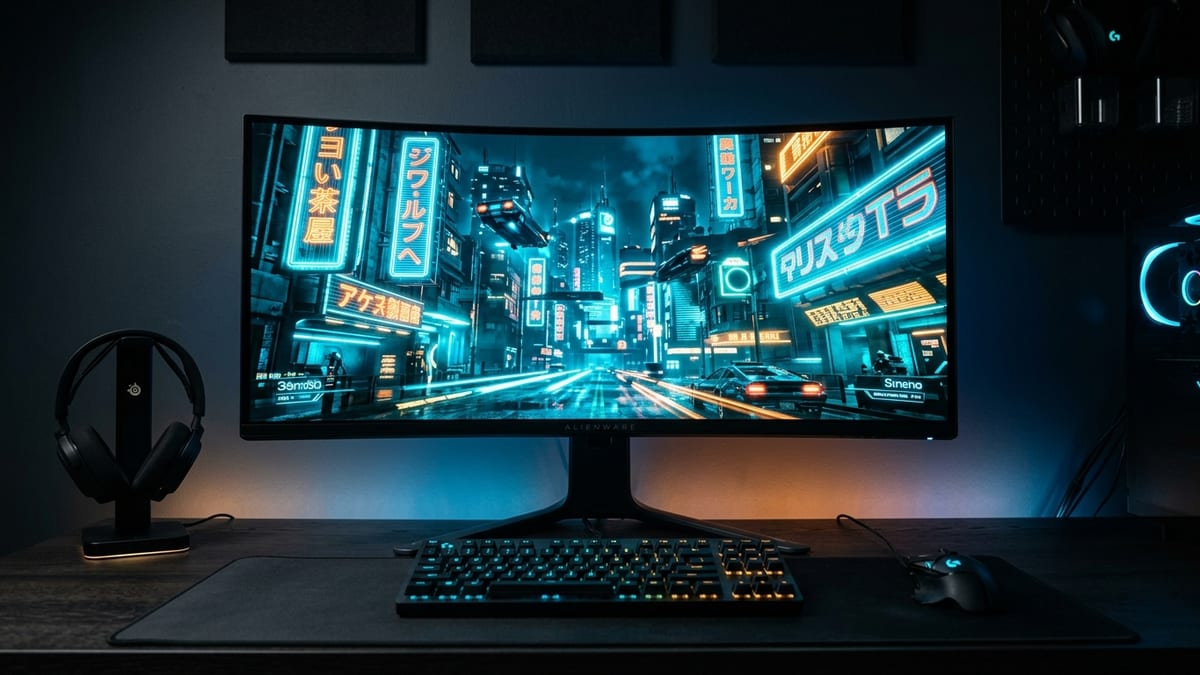
The choice between ultrawide (3440x1440) and 4K (3840x2160) is not just about aspect ratio — it is about engine support, GPUGPU. Graphics Processing Unit — the chip that renders the game's visuals; the main driver of framerate and image quality. cost, HUD behavior, and whether you want a gaming monitor or a productivity display that also games. This comparison covers the technical differences and the practical tradeoffs.
What it covers: The ultrawide (3440x1440) versus 4K (3840x2160) decision across pixel count, engine support, HUD scaling, GPU cost, and productivity. Why it matters: The format you pick changes how much GPU power you need and how games and work apps behave. Who should pick this: Buyers choosing a gaming monitor that also has to work as a productivity display.
Resolution and Pixel Count
4K (3840x2160) has 8.3 million pixels. 1440p ultrawide (3440x1440) has 4.9 million pixels. 4K has roughly 70% more pixels to drive. This means:
- 4K demands more GPU power to hit the same frame rate.
- Ultrawide at 1440p is easier on the GPU.
- Both are above 1080p (2.1 million pixels), so neither is “lightweight” — but 4K is significantly heavier.
For raw gaming performance, ultrawide 1440p is the more forgiving format. A mid-range GPU (RTX 4060 Ti / RX 7600 XT) can drive 1440p ultrawide at 60-100fps in most titles. The same GPU at 4K will struggle to hit 60fps without aggressive upscaling.
Engine Support and FOV
This is where the formats diverge most sharply.
Ultrawide: most modern games support 21:9 natively. The wider aspect ratio gives you more horizontal field of view (FOV), which is an advantage in competitive games (you see more of the battlefield) and immersive in single-player games (the wider frame fills your peripheral vision). Some games — particularly competitive esports titles like Valorant and CS2 — cap ultrawide FOV to prevent the advantage, running the game at 16:9 with black bars on the sides.
4K: 4K runs at 16:9, which every game supports natively. There is no engine support issue with 4K. But 4K does not give you more FOV — it gives you more pixels in the same 16:9 frame. For competitive games, 4K is a clarity upgrade, not a visibility upgrade.
The practical split: ultrawide is better for immersion and single-player games. 4K is better for competitive clarity and universal compatibility. If you play a lot of esports titles that cap ultrawide FOV, 4K is the better choice.
HUD Scaling
Ultrawide can have HUD scaling issues. Some games position HUD elements at the extreme edges of the screen, which on a 34-inch ultrawide means you have to physically turn your head to see your minimap. Other games center the HUD at 16:9 and leave the sides for peripheral vision, which is better.
4K does not have this problem — the HUD is at the same relative position as 1080p, just sharper. If HUD placement matters to you, 4K is the safer bet.
GPU Cost
The GPU tier required for each format, rough 2026 estimates:
- 1440p ultrawide at 100fps: RTX 4070 / RX 7800 XT or better. With upscaling, an RTX 4060 Ti can manage 60-80fps in most titles.
- 4K at 60fps: RTX 4070 Ti / RX 7900 XT or better. Without upscaling, you need a high-end card. With DLSS/FSR Quality, an RTX 4070 can manage 4K at 60fps in most titles.
- 4K at 120fps: RTX 5080 / RX 9070 XT or better. This is flagship territory.
| Target | GPU |
|---|---|
| 1440p ultrawide at 100fps | RTX 4070 / RX 7800 XT or better |
| 4K at 60fps | RTX 4070 Ti / RX 7900 XT or better |
| 4K at 120fps | RTX 5080 / RX 9070 XT or better |
Ultrawide 1440p is roughly 60% of the GPU cost of 4K at the same frame rate. If you want high refresh (120fps+), ultrawide is significantly more affordable.
The Productivity Tradeoff
If you use your monitor for work as well as gaming:
- Ultrawide: excellent for side-by-side windows, code editing, timeline-based work (video editing, audio production). The extra horizontal space is genuinely useful for productivity. You can have two full windows side by side without a multi-monitor setup.
- 4K: excellent for sharp text, detailed image work (photo editing, design). The extra pixel density makes text crisp and images detailed. But at 27-32 inches, 4K is tight for side-by-side windows without scaling.
If productivity is a major factor, ultrawide is the more versatile format. If gaming is the primary use and you want maximum clarity, 4K is the better choice.
What to Choose
For most gamers in 2026, 1440p ultrawide is the sweet spot. It gives you immersive width, better FOV in games that support it, lower GPU cost, and excellent productivity value. The tradeoff is occasional FOV caps in competitive games and HUD edge placement issues.
For competitive gamers who play Valorant, CS2, or other FOV-capped titles: 4K at 27 inches gives you sharper targets without the ultrawide FOV penalty.
For budget-conscious builders: 1440p ultrawide is the more GPU-efficient format. You can get a smooth 100fps+ experience with a mid-range card that would struggle at 4K.
Next read
- For the tier-by-tier GPU numbers behind the ultrawide frame rates, see What GPU Sustains 120 FPS at 3440x1440 Ultrawide in 2026: VRAM, Upscaler, and Tier-by-Tier Numbers.
- For the adaptive-sync feature that frames both formats, see VRR Explained: G-SYNC, FreeSync Premium Pro, and HDMI 2.1 VRR — Tiers, Overdrive, and the Budget LFC Gotcha.
- For panel technology and refresh-rate limits to pair with the choice, see Gaming Monitor Buyer’s Guide 2026 — OLED vs Mini-LED vs IPS, and the Refresh Rate Cliff.