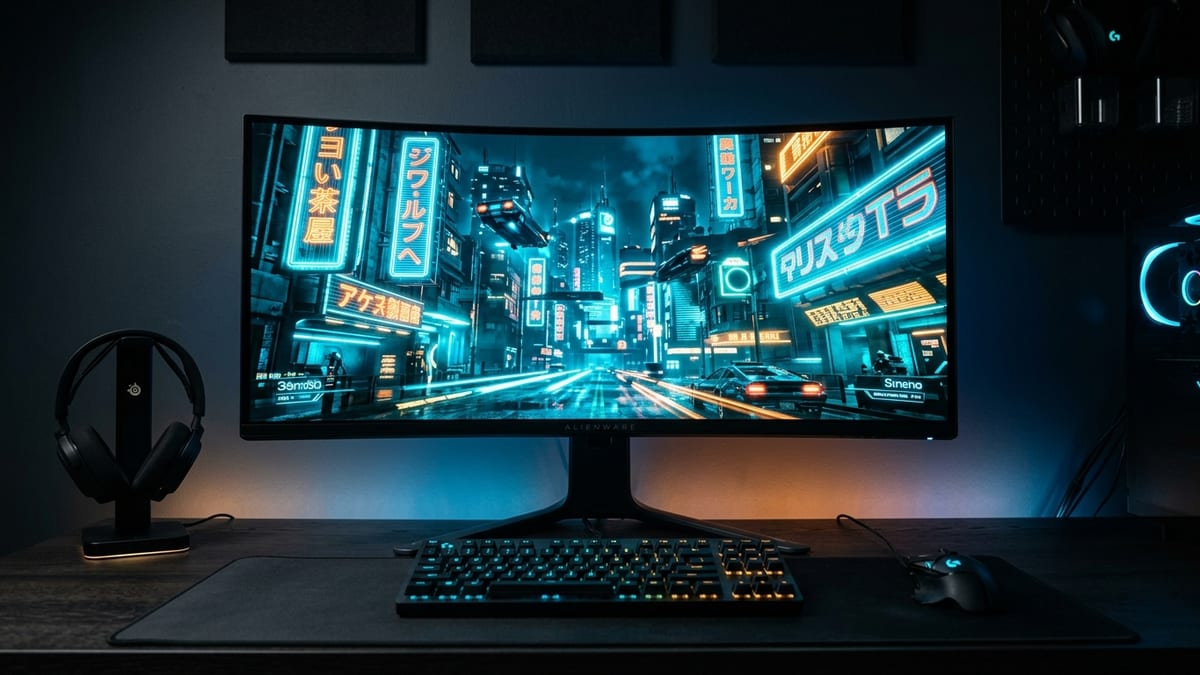
Why monitor tech actually matters in 2026
GPUGPU. Graphics Processing Unit — the chip that renders the game's visuals; the main driver of framerate and image quality. frames are cheap relative to display fidelity right now. An RTX 5070-class card can hold 144 fpsframerate. How many images (frames) the game shows per second; higher = smoother motion. 60 fps is a common target. at 1440p in most modern titles with upscaling, but if your panel smeared motion, clips shadow detail, or capped at 60Hz, none of that throughput reaches your eyes. The monitor is the last bottleneck in the signal chain, and in 2026 the three viable panel families — OLED, Mini-LED, and IPS — each fail differently.
This guide ranks what’s actually worth buying by use case, not marketing. It also addresses the one question that comes up in every hardware thread: at what refresh rate do you stop noticing?
What it covers: OLED vs Mini-LED vs IPS in 2026, ranked by use case, plus the refresh-rate perceptual cliff. Why it matters: The panel is the last bottleneck in the signal chain — GPU frames mean nothing through a smeared display. Who should pick this: Upgraders deciding between panel tech and Hz, and OLED buyers weighing burn-in.
The three panel families, honestly
OLED — best motion, real burn-in risk
QD-OLED (Samsung Display) and WOLED (LG Display) both use self-emissive pixels — no backlight, per-pixel light output, effectively instant pixel response (sub-0.1 ms GtG in most measurements). That produces two observable advantages: perfect blacks (pixels fully off) and motion clarity that no backlit panel matches, because there’s no sample-and-hold smear from a backlight strobe cycle.
The trade-off is burn-in — cumulative luminance degradation where static UI elements (taskbars, HUDs, minimaps) leave faint ghosts over hundreds to thousands of hours of fixed-pattern use. OLED panels are warrantied against burn-in by most major brands as of 2024–2025 (many now include a three-year burn-in warranty), though terms vary by model and region; the warranty is typically a replacement/credit, not immunity. The degradation is physical and cumulative. RTINGS’ long-running accelerated burn-in tests have shown measurable brightness loss on older panels after 2+ years of heavy use; 2025–2026 panels include higher baseline brightness, newer subpixel layouts, and per-unit compensation cycles, which slow but do not eliminate the effect.
Who should buy OLED: competitive and single-player gamers who prioritize motion clarity, play varied content (not 8 hours/day of one game with a fixed HUD), and accept a 3–5 year panel lifespan expectation rather than “forever.”
Mini-LED — the HDR compromise with dimming caveats
Mini-LED is still LCD underneath: a backlight of thousands of miniaturized LEDs, grouped into local dimming zones (typically 500–2,000+ zones on high-end 2026 models). Zones dim or shut off to approximate black levels near OLED, with a separate full-array layer for peak brightness (1,000–3,000+ nits on flagship sets).
The weakness is blooming — light leakage from a bright zone into an adjacent dark one, visible around bright objects on black backgrounds (subtitles, crosshairs, HUD reticles on dark maps). More zones shrink the artifact but never fully eliminate it; it’s a property of having a discrete backlight grid rather than per-pixel emission. Mini-LED also can’t match OLED’s motion clarity at the same refresh rate, because the backlight and LCD response add hold time.
Who should buy Mini-LED: HDR-focused players, sim racers, and anyone who runs static UIs for long sessions (strategy games, MMOs with persistent HUDs) where burn-in risk makes OLED a bad fit. It’s also the only panel class that delivers both high brightness and deep blacks for HDR in a bright room.
IPS — the safe, cheap, burn-in-free default
IPS (in-plane switching) LCD with a standard edge or simple array backlight is the oldest technology here and still the volume seller. Color accuracy and viewing angles are excellent; response times on fast 2026 IPS panels (1 ms GtG-class, though marketing GtG ≠ real-world transitions) are competitive for non-elite play. No burn-in, ever — the backlight degrades uniformly over years but doesn’t retain images.
The cost: poor contrast (typically 1,000:1 native, occasionally 1,500:1 on newer fast-IPS variants), mediocre HDR (edge-lit IPS can’t dim locally, so HDR is largely cosmetic), and IPS glow / backlight bleed visible in dark rooms. For SDR gaming in a lit room at 1440p/240Hz, a good IPS is arguably the best value per dollar in 2026.
Who should buy IPS: budget-conscious players, esports competitors who play in lit environments and don’t need HDR, and anyone who wants a display that will outlast three GPU upgrades without panel degradation.
Panel comparison: what you’re actually buying
| Feature | OLED (QD/WOLED) | Mini-LED | IPS (Fast) |
|---|---|---|---|
| Native contrast | Infinite (per-pixel) | ~5,000–20,000:1 (zone-dependent) | ~1,000:1 |
| Peak brightness (HDR) | ~1,000–2,000 nits | ~1,500–3,000+ nits | ~400–600 nits |
| Black uniformity | Excellent | Good (blooming in scenes) | Poor (glow) |
| Motion clarity (same Hz) | Best (instant response) | Good (backlight hold) | Good (fast IPS only) |
| Burn-in risk | Yes (cumulative, mitigated) | None | None |
| Best use case | Varied content, competitive motion | HDR, long static-UI sessions | Budget SDR, esports |
| Typical 2026 price tier (27” 1440p 240Hz) | Premium (prices have fallen sharply through 2025–2026) | Mid-range | Budget |
The refresh rate cliff: where you stop noticing
This is the most over-marketed spec in the industry. Here’s what the perceptual data actually supports.
60Hz → 144Hz: massive, universally perceptible
This jump is the largest real-world improvement in the entire range. Motion smoothness, input lag reduction, and target tracking in FPS/RTS all improve dramatically. Anyone with normal vision notices it within seconds. 144Hz (or 120Hz) is the floor for serious PC gaming in 2026.
144Hz → 240Hz: clearly perceptible to trained eyes
Measurable reduction in frame time (~6.94 ms → ~4.17 ms). Competitive FPS and fighting game players report and demonstrate measurable benefit in target acquisition and motion tracking. Casual players may not notice in blind tests, but the difference is real, not placebo. 240Hz is the sweet spot for competitive play in 2026 — price-to-perf is reasonable, and the perceptual gain is there.
240Hz → 360Hz: diminishing, elite-only
Frame time drops to ~2.78 ms. Blind-test data from hardware outlets and the fighting-game/FPS communities suggests the perceptual delta is small for most players and only consistently distinguishable by top-tier competitors with extensive high-Hz experience. Most players in A/B tests struggle to reliably distinguish 240 from 360 — test it yourself if you’re paying a premium for the jump. The GPU cost to actually drive 360 fps in modern titles is steep — you’ll often be running 240 fps on a 360Hz panel, making the headroom largely theoretical.
360Hz → 540Hz: past the perceptual cliff for nearly everyone
Frame time ~1.85 ms. This is where the “cliff” term is apt: the marginal perceptual gain is within noise for all but a vanishingly small population of elite esports professionals. 540Hz panels exist and are shipping (including 1440p dual-mode QD/WOLED models and 1080p esports-TN panels), and have legitimate use cases in tier-one competitive environments where any edge matters, but for a buyer’s guide audience, 540Hz is not worth the price premium unless you are sponsored, ranked top-500 in a specific title, or buying for a competitive facility.
The honest framing: refresh rate is logarithmic in perceptual benefit, but linear-to-superlinear in cost. Doubling from 60 to 120 is enormous. Doubling from 240 to 480 is marginal. Plan your spend accordingly.
2026 buyer’s guide: ranked by use case
Criteria: motion clarity, HDR quality, burn-in tolerance, budget, and content variety. Prices are approximate 2026 USD and shift quickly — check current retail before purchase.
Tier 1 — Competitive FPS / fighting games (motion above all)
27” 1440p 240Hz OLED (QD-OLED preferred for color volume, WOLED for brightness stability). If budget allows, 360Hz OLED for elite play; 240Hz is the rational ceiling for most.
- Why: OLED’s instant pixel response gives motion clarity no IPS at the same refresh rate can match. 1440p is the resolution where a mid/high GPU can actually hold the framerate.
- Avoid: 540Hz unless you’re literally sponsored.
Tier 2 — HDR single-player / RPGRPG. Role-Playing Game — a game built around character progression, story, and player choices. / sim racing
32” 4K 165Hz+ Mini-LED with 1,000+ dimming zones and DisplayHDR 1000 or True Black 500 certification — confirm the zone count on the specific model, since marketing rarely leads with it.
- Why: OLED gives better per-pixel blacks, but Mini-LED’s peak brightness wins for HDR specular highlights and bright-room viewing. Sim racers running for hours with a fixed cockpit HUD also avoid burn-in risk.
- Avoid: Edge-lit “HDR400” IPS — it’s not real HDR.
Tier 3 — Strategy / MMOMMO. Massively Multiplayer Online — a game that hosts very large numbers of players together in one shared, persistent world. / long-session static UI
27”–32” 1440p or 4K IPS or Mini-LED, 144Hz+.
- Why: These genres benefit less from ultra-high refresh (turn-based, low-motion UIs) and more from screen real estate and burn-in safety. A persistent minimap and toolbar for 2,000 hours is the exact scenario OLED warranties were written around — skip OLED here.
- Avoid: Overspending on refresh rate you won’t use.
Tier 4 — Budget / entry / second monitor
27” 1440p 144Hz IPS.
- Why: The best dollars-to-experience ratio in 2026. No burn-in, good color, enough refresh for any genre, and cheap enough to pair with a vertical side monitor.
- Avoid: 1080p at this point unless you’re specifically building a 24” 540Hz esports station.
Specs to verify before you buy
- Dimming zone count (Mini-LED) — marketing says “Mini-LED,” the spec sheet may hide zone count. More is unambiguously better for blooming.
- Real GtG vs. marketing GtG — “1 ms” on the box is usually an overdrive best-case, not average. Check independent measurements.
- Burn-in warranty terms (OLED) — length, coverage, and whether it’s replacement or pro-rated credit. Varies by brand and region.
- HDMI 2.1 / DisplayPort 1.4a / DP 2.1 bandwidth — must support your target resolution × refresh × color depth. 4K 144Hz 10-bit requires HDMI 2.1 or DP 1.4 with DSC.
- USB-C / KVM — if you dock a laptop, check wattage and whether the downstream ports are USB 3.x or throttled.
- Firmware and compensation cycles (OLED) — panels that run automatic pixel-refresh cycles during sleep are preferable; check cadence and whether it interrupts use.
The bottom line
- OLED is the best gaming experience you can buy in 2026 if you accept the lifespan trade-off and play varied content.
- Mini-LED is the rational HDR choice for long-session static-UI genres and bright rooms.
- IPS remains the value default and the burn-in-free safety pick.
On refresh rate: get to 144Hz minimum, treat 240Hz as the competitive sweet spot, and treat anything above 360Hz as an elite-tier luxury where the perceptual cliff is real and the price cliff is steep. Spend the money you’d put into 540Hz into a better panel type or a larger size instead — that’s the upgrade you’ll actually notice.
Sources & further reading
- RTINGS — Gaming monitor reviews and long-term burn-in tests: https://www.rtings.com/monitor/reviews/best/gaming-monitors
- TFTCentral — Panel database and in-depth response-time analysis: https://www.tftcentral.co.uk/
- Blur Busters — Motion clarity, strobing, and refresh-rate perception research: https://blurbusters.com/
- VESA DisplayHDR / DisplayHDR True Black certified product list: https://displayhdr.org/certified-products/
- Hardware Unboxed monitor coverage (YouTube): https://www.youtube.com/@HardwareUnboxed
- PC Monitors — reviews and panel technology explainers: https://www.pcmonitors.info/
Next read
- For the OLED lifespan question in depth, see OLED Gaming Monitors: Burn-in 2026, Warranty, and Panel Care.
- For the ultrawide-vs-4K fork, see Ultrawide vs 4K Gaming: Support, GPU Cost, Productivity.
- To pair the panel with the right GPU class, see Gaming PC Build Tiers 2026.