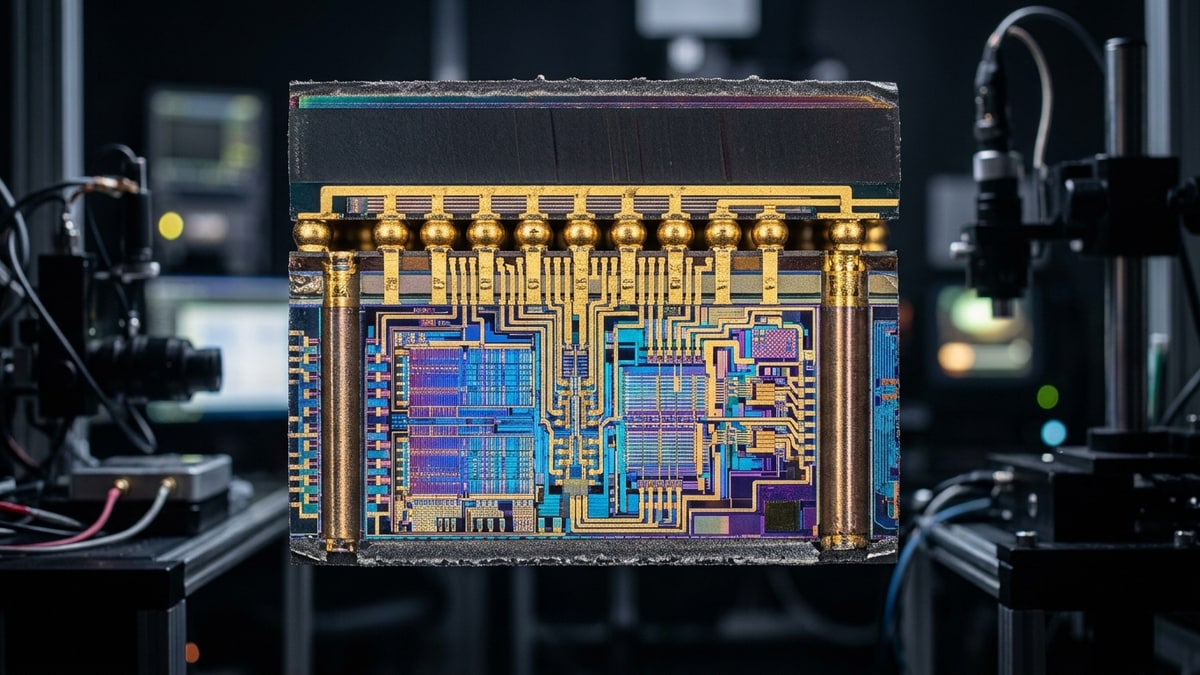
AMD’s Ryzen 9000X3D family is built on one idea: stack a large SRAM die on top of the compute CCD and triple the L3 available to each core. That single change reshapes the gaming CPU market — but the two chips that carry it, the 8-core Ryzen 7 9800X3D and the 16-core Ryzen 9 9950X3D, are not the same product with more cores bolted on. They differ in a way that directly affects frame times, scheduling, and what you should actually buy. This guide breaks down the stacked-cache design, the 9950X3D’s dual-CCD asymmetry, and the practical decision between them.
What it covers: Stacked 3D V-Cache3D V-Cache. AMD's stacked L3 cache that gives the CPU very fast access to data, notably boosting game framerates. design, the 9950X3D’s dual-CCD asymmetry, and the gaming verdict between both chips. Why it matters: The 9950X3D’s gaming results depend on scheduler behavior, not core count — that changes what you should pay for. Who should pick this: Builders choosing between 8-core and 16-core X3D parts who don’t want to pay twice for the same frame rate.
How Stacked 3D V-Cache Works
The CCD, the L3, and the stack
A Ryzen desktop chip is built from one or two Core Complex Dies (CCDs) glued to an I/O die. On a standard Zen 5 part, each CCD has eight cores and a 32 MB L3 cache shared across the CCD. The X3D variants add a second, physically stacked SRAM die bonded on top of the CCD through hybrid bonding and through-silicon vias (TSVs). That stack adds 64 MB of additional L3, bringing the per-CCD L3 to 96 MB — three times the standard amount.
The payoff is latency reduction for the working set that fits in L3. Games are pathological cache-miss generators: entity lists, texture descriptor tables, shader constant buffers, and per-frame command buffers are all large, pointer-chasing data structures. Tripling L3 capacity keeps far more of that working set on-die, away from main memory’s ~80 ns round trip. Fewer misses means fewer stalls, which means tighter frame pacing — the variable that matters more for perceived smoothness than average FPSframerate. How many images (frames) the game shows per second; higher = smoother motion. 60 fps is a common target..
Why cache size is not the whole story
Capacity is the obvious win. The less obvious one is that L3 hits avoid the cross-CCD penalty entirely when a workload stays inside one CCD. On a dual-CCD chip, data that lives in CCD0’s L3 but is needed by a thread running on CCD1 must traverse the I/O die, a round trip that adds latency and consumes interconnect bandwidth. The 3D V-Cache stack doesn’t fix this — it makes staying inside one CCD even more valuable, because the cost of leaving is now measured against a very large, very fast local pool. This is the central tension of the 9950X3D, covered below.
The 9800X3D: One CCD, Symmetric, Simple
The Ryzen 7 9800X3D is the uncomplicated member of the family. It has one CCD, eight Zen 5 cores, and 96 MB of stacked L3 sitting on top of that single die. Every core sees the same cache, at the same latency, through the same fabric. There is no second CCD to schedule around, no cross-die migration, no asymmetry.
What you get
- 8 cores / 16 threads
- 96 MB L3 (32 MB base + 64 MB stacked)
- Single CCD, so all cores are cache-peers
- Higher sustained clocks than prior X3D parts thanks to the cache-on-top-of-cache layout moving the hot compute die to the top of the stack
Why it dominates gaming benchmarks
Gaming is, for the overwhelming majority of titles, a low-thread-count workload. The render thread and the main simulation thread do the heavy lifting; additional worker threads handle asset streaming, audio, and secondary systems. Eight fast cores with a giant shared L3 covers that footprint cleanly, and because there is only one CCD, the OS scheduler cannot strand a critical thread on a cache-poor die. This is why the 9800X3D consistently trades blows with or beats the 9950X3D in gaming benchmarks despite having half the cores — the workload never has to leave the fast CCD because there is nowhere else to go.
The 9950X3D: Two CCDs, and the Asymmetry Problem
The Ryzen 9 9950X3D is the interesting case. It has two CCDs for a total of 16 cores / 32 threads, and — critically — both CCDs carry the 3D V-Cache stack. That is a change from the prior-generation 7950X3D, which stacked cache on only one of its two CCDs and left the other at the standard 32 MB. On paper, two stacked CCDs sounds like a strict upgrade. In practice it introduces a scheduling problem that AMD and the OS have to solve at runtime.
The dual-stacked design
Each CCD on the 9950X3D gets 96 MB of L3. Total L3 is 192 MB. That is enormous, and for workloads that can saturate 16 cores with data that fits in L3 — some rendering, compilation, and simulation tasks — it is a real advantage. The compute die is now on top in the new packaging, which is the same thermal improvement as the 9800X3D and allows higher sustained clocks than the 7000X3D generation managed.
The asymmetry that isn’t quite symmetry
Here is the catch. Even with cache on both CCDs, the two CCDs are not perfectly equivalent from the scheduler’s perspective. Data locality still matters: a thread running on CCD0 that needs data resident in CCD1’s L3 pays the cross-die round trip through the I/O die, and that penalty exists regardless of how big each L3 is.
The game’s main threads typically populate one CCD’s cache with their working set. If the OS then migrates a latency-sensitive thread to the other CCD — for thermal balancing, for power, or simply because the scheduler’s heuristic judged it idle — the thread arrives cold and has to pull its working set across the fabric.
AMD mitigates this with its chipset driver, which cooperates with Windows Game Bar to pin the active game to one CCD and park the other by default during gaming. Windows Thread Director and the AMD scheduler hints cooperate to keep the render and simulation threads on the cache-warm CCD. When that works, the 9950X3D performs like a 9800X3D with a second CCD sitting idle. When it doesn’t — and there are documented cases of scheduler misbehavior on dual-CCD X3D parts — you get frame-time spikes exactly when a thread gets bounced across the die boundary.
The productivity floor
The 9950X3D’s second CCD is not dead weight. It exists for the workloads where the 9800X3D runs out of cores: heavy multi-threaded compilation, video encoding, 3D rendering, local LLM inference, and streaming while gaming. If your machine earns its keep on that kind of workload part of the day and games part of the day, the 9950X3D is the only X3D part that covers both without compromise on the productivity side.
Head-to-Head: 9800X3D vs 9950X3D
| Dimension | Ryzen 7 9800X3D | Ryzen 9 9950X3D |
|---|---|---|
| Cores / threads | 8 / 16 | 16 / 32 |
| CCDs | 1 | 2 |
| L3 cache (total) | 96 MB | 192 MB |
| L3 per CCD | 96 MB | 96 MB |
| Cache layout | Symmetric, single die | Dual stacked, two dies |
| Scheduler complexity | None — all cores cache-peers | Requires CCD pinning / parking for games |
| Gaming performance | Best-in-class, consistent frame times | Equal or slightly below 9800X3D in most titles |
| Multi-threaded productivity | Limited by 8 cores | Strong, near non-X3D 9950X |
| Power / thermals | Lower, single CCD | Higher, two active CCDs under load |
| Typical use case | Pure gaming build | Gaming plus heavy productivity |
| Platform | AM5 | AM5 |
| Approximate street price | Lower | Higher |
The table makes the core trade-off legible: the 9800X3D wins on simplicity and consistency; the 9950X3D wins on core count and total cache, and only matches the 9800X3D in games when scheduling cooperates.
Which to Buy for Gaming
Pick the 9800X3D if…
- This machine is primarily or exclusively for gaming.
- You care about frame-time consistency above peak multi-threaded throughput.
- You want to avoid scheduler-driven frame spikes entirely.
- You are budget-conscious and would rather put the price difference into a better GPUGPU. Graphics Processing Unit — the chip that renders the game's visuals; the main driver of framerate and image quality..
For a pure gaming rig, the 9800X3D is the correct answer. It gives you all of the 3D V-Cache benefit with none of the dual-CCD scheduling risk, and it does so at a lower price and lower power. The 8-core count is not a limitation for current games, and the single-CCD layout means the OS cannot make a bad placement decision because there are no bad placements.
Pick the 9950X3D if…
- You compile, render, encode, or run local inference workloads regularly.
- You stream and game on the same machine and want headroom for the encoder.
- You accept that gaming performance matches rather than exceeds the 9800X3D, in exchange for double the cores.
- You are comfortable ensuring the AMD chipset driver and gaming mode are installed and current so CCD pinning works as intended.
The 9950X3D is the better all-rounder, not the better gaming chip. If your day splits between memory-bound productivity and evening sessions, it lets you keep the 3D V-Cache advantage without sacrificing multi-threaded throughput. Just go in knowing that its gaming results depend on the scheduler doing its job, and that the upside over the 9800X3D in games is effectively zero in the titles where CCD pinning works and negative in the titles where it doesn’t.
A note on the GPU pairing
Neither of these CPUs is the bottleneck in most systems — the GPU is. Stacked cache pays off most at 1080p and 1440p with a high-end GPU, where the CPU is actually feeding frames fast enough for cache latency to matter. At 4K with a mid-range GPU, the difference between a 9800X3D, a 9950X3D, and a non-X3D part shrinks dramatically because the GPU is the limiting factor. If you are buying an X3D chip, pair it with a GPU fast enough to expose the CPU advantage, or save the money.
Sources & further reading
- AMD Ryzen 9000 series (desktop) product page — https://www.amd.com/en/products/processors/desktops/ryzen/9000-series.html
- AMD 3D V-Cache technology overview — https://www.amd.com/en/products/processors/technologies/3d-v-cache.html
- Tom’s Hardware Ryzen 9800X3D review and 3D V-Cache teardown coverage
- Gamers Nexus 9800X3D and 9950X3D benchmark coverage
- TechPowerUp CPU database — https://www.techpowerup.com/cpu-specs/
- Wikipedia — AMD Ryzen X3D / Zen 5 X3D articles for architecture background
Watch the price ladder as availability settles through mid-2026 — 9950X3D street pricing is the one variable that can flip the value verdict faster than any benchmark. Whenever either chip lands in a sale, re-run the decision against your actual workload mix, not the marketing tier list.
Next read
- For which games actually reward stacked cache, see CPU-Bound Gaming in 2026: When X3D Wins.
- For the wider ranking, see Best Gaming CPUs: 2026 Benchmarks and the 3D V-Cache Dividend.
- To see how either chip handles the 26 titles we track, try the PC Build Analyzer.