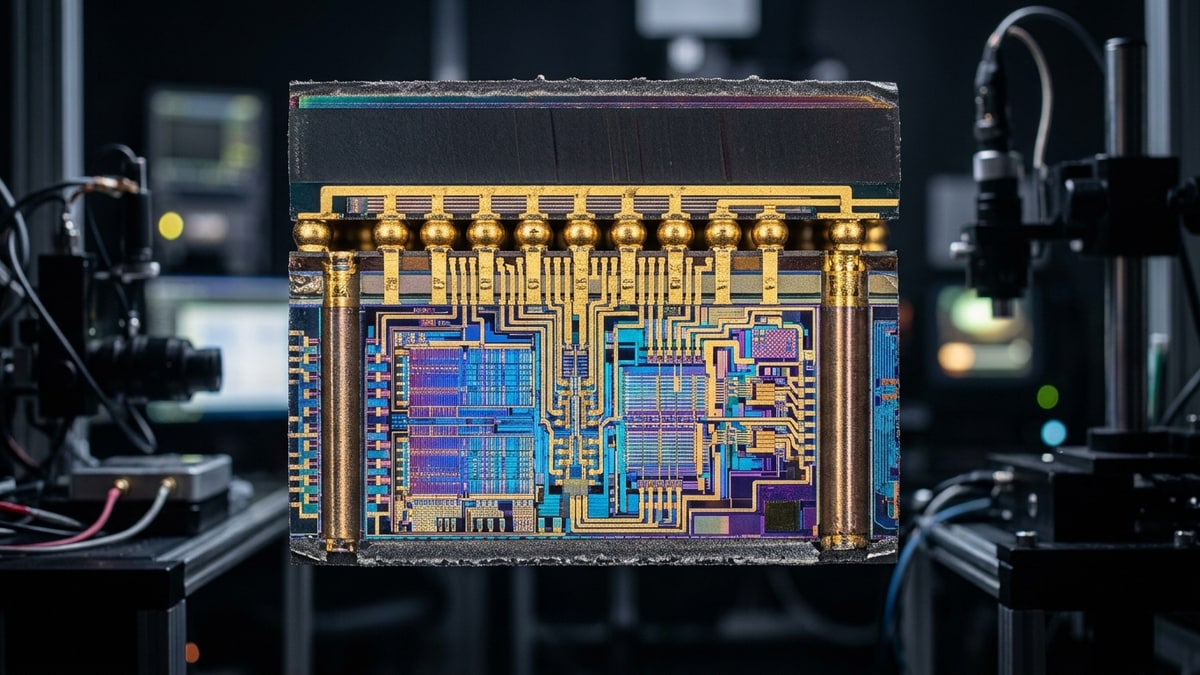
For most of the GPUGPU. Graphics Processing Unit — the chip that renders the game's visuals; the main driver of framerate and image quality.-marketing era, the CPU was the component you spent just enough on. In 2026, that calculus is inverted in a growing slice of the PC gaming workload. A subset of games — large-world MMOs, late-game RTSRTS. Real-Time Strategy — a strategy game where everyone plays at the same time, continuously, instead of taking turns., competitive 1080p titles — spend more time waiting on the CPU than saturating a modern GPU. AMD’s Ryzen X3D parts, with their stacked L3 cache, exploit exactly that imbalance. This article breaks down
- where CPU-bounding happens
- why cache helps more than clock speed
- how the current AMD vs. Intel stack compares.
What it covers: Where CPU limits dominate GPU throughput in 2026, and why stacked 3D V-Cache3D V-Cache. AMD's stacked L3 cache that gives the CPU very fast access to data, notably boosting game framerates. widens the gap. Why it matters: MMOMMO. Massively Multiplayer Online — a game that hosts very large numbers of players together in one shared, persistent world. cities, RTS late-game, and 1080p esports are CPU-bound — a faster GPU cannot fix them. Who should pick this: Builders deciding how much CPU to buy for cache-hungry genres instead of pixel-pushing AAA.
When a Game Becomes CPU-Bound
A game is CPU-bound when the render submission thread (or the simulation thread feeding it) cannot produce draw calls, state updates, or logic ticks fast enough to keep the GPU fed. The GPU sits at partial utilization, frame times spike, and average FPSframerate. How many images (frames) the game shows per second; higher = smoother motion. 60 fps is a common target. plateaus regardless of GPU tier.
Three structural conditions produce this reliably:
1. Massive entity / draw-call counts
MMO capital cities and crowded raid encounters push thousands of animated actors, UI updates, and network state reconciliations per frame. The CPU’s single-threaded main loop becomes the limiter. World of Warcraft in 40-player raid content and Final Fantasy XIV in Alliance Raids are classic examples — FPS often drops in cities even on RTX 50-class GPUs.
2. Late-game simulation density (RTS / 4X4X. eXplore, eXpand, eXploit, eXterminate — a grand-strategy subgenre about building a civilization over a long arc.)
Age of Empires IV, Company of Heroes 3, Total War: Warhammer III, and Civilization VII all scale entity counts and pathfinding load over a match. A 2-hour RTS match with 300+ units on screen is not the same workload as the benchmark’s opening minute. The late-game frame time collapse is CPU-driven, not GPU-driven.
3. 1080p competitive / esports frametime floors
At 1080p with low/medium settings and reflex-style latency targets, CS2, Valorant, Apex Legends, and Rainbow Six Siegesiege. A timed, large-scale attack on a settlement — attackers try to destroy it, defenders try to hold it. remove the GPU bottleneck almost entirely. Frame generation times are dominated by CPU submission and render-thread overhead. Here, the CPU is the FPS ceiling, and 1% lows — not averages — decide whether the game feels consistent.
Why X3D Cache Wins These Scenarios
The latency hierarchy problem
CPU-bound gaming workloads share a trait: they are cache-sensitive, not bandwidth-sensitive. Game logic threads exhibit irregular access patterns — pointer-chasing through entity lists, scripting VM lookups, physics broadphase queries. This data has poor spatial locality, which means the CPU constantly fetches from L3 (or worse, main memory).
| Level | Typical Latency (cycles) | Notes |
|---|---|---|
| L1 | ~4 | Per-core, tiny (32–48 KB) |
| L2 | ~14 | Per-core, 512 KB–2 MB |
| L3 (standard) | ~40–50 | Shared, 16–64 MB on most SKUs |
| L3 (X3D stacked) | ~50–55 | Shared, 96–128 MB — but hit-rate dominates |
| DRAM | ~200+ | Main memory, the penalty you want to avoid |
The X3D win is not latency — stacked cache is slightly slower per access than a monolithic L3. The win is hit rate. With 96–128 MB of L3 instead of 32–64 MB, the working set of game logic fits inside cache far more often, and DRAM round-trips collapse. Fewer DRAM stalls = higher effective throughput per core, which is the only thing that matters in a CPU-bound loop.
Clock speed vs. cache: what actually moves the needle
Intel’s approach in the Core Ultra / Arrow Lake generation leans into high boost clocks, ring bus tuning, and a large shared L3. AMD’s X3D parts trade ~200–400 MHz of peak clock for triple the L3 capacity.
In GPU-bound titles at 4K, the clock penalty is invisible — the GPU is the wall. In CPU-bound titles at 1080p or in crowded MMO/RTS scenes, the cache dividend overwhelms the clock deficit. This is why synthetic all-core benchmarks can favor Intel while a narrow set of gaming workloads favor X3D by 15–30%.
2026 CPU Stack — Where Each Part Belongs
The table below ranks current-relevant gaming CPUs by their behavior in CPU-bound scenarios specifically, not generic productivity.
| CPU | L3 Cache | Architecture | CPU-Bound Gaming Strength | Typical Gap vs. Top X3D |
|---|---|---|---|---|
| Ryzen 7 9800X3D | 96 MB | Zen 5 + 2nd-gen V-Cache | Benchmark leader in cache-sensitive titles | baseline |
| Ryzen 9 9950X3D | 96 MB (one CCD) | Zen 5 + V-Cache, dual CCD | Same gaming perf as 9800X3D, adds cores for streaming/productivity | ~0% (gaming) |
| Ryzen 7 9700X | 32 MB | Zen 5 | Strong ST, no cache dividend | −10 to −25% in X3D-favored scenes |
| Core Ultra 9 285K | 36 MB | Arrow Lake (Lion Cove + Skymont) | Competitive ST, good in non-cache-bound games | −5 to −20% in X3D-favored scenes |
| Core Ultra 7 265K | 30 MB | Arrow Lake | Solid midrange, narrower gaming lead | −10 to −25% in X3D-favored scenes |
| Ryzen 9 7950X3D | 96 MB (one CCD) | Zen 4 + 1st-gen V-Cache | Still relevant, prior-gen IPC | −3 to −8% vs. 9800X3D |
The dual-CCD X3D caveat
The 9950X3D and 7950X3D stack V-Cache on only one CCD. The OS scheduler must park games onto the cached CCD to realize the benefit. In well-behaved titles this is automatic; in edge cases (particularly older or poorly-scheduled engines), the game can land on the non-X3D CCD and lose the advantage entirely. The 9800X3D avoids this by being a single-CCD, single-cache-domain part — which is why it remains the cleaner pure-gaming recommendation.
Tier List: Best CPU Picks by Workload (2026)
Criteria: CPU-bound gaming performance, 1% low stability, scheduler simplicity, and value at current street prices.
S-tier — CPU-bound gaming specialists
- Ryzen 7 9800X3D — The clean pick. Single CCD, 96 MB cache, best-in-class 1% lows in MMO/RTS/esports. No scheduler ambiguity.
- Ryzen 9 9950X3D — If you also stream or run productivity. Equal gaming perf, double the cores, same dual-CCD caveat.
A-tier — Strong, with trade-offs
- Core Ultra 9 285K — Best Intel gaming option in this generation. Wins in titles that are clock-bound rather than cache-bound.
- Ryzen 9 7950X3D — Prior-gen X3D, still excellent, often discounted.
B-tier — Value / GPU-bound pairings
- Ryzen 7 9700X — If you play at 4K with a high-end GPU, the CPU rarely matters; save the cash.
- Core Ultra 5 245K — Adequate for GPU-bound 1440p/4K gaming.
Avoid for CPU-bound gaming
- Any non-X3D Ryzen 9 if your primary use is 1080p esports or crowded MMO raids — you’re paying for cores the game won’t use and losing the cache dividend.
Build Order: Diagnosing Whether You Are CPU-Bound
Before buying a CPU, confirm the bottleneck is actually the CPU. Use this sequence:
- Pick a representative scene. Not the menu, not an empty zone. Load a crowded MMO city, a late-game RTS save, or a busy CS2 deathmatch.
- Cap the framerate at your monitor’s refresh. This isolates frametime variance from the FPS ceiling.
- Log CPU and GPU utilization (MSI Afterburner / RTSS, or CapFrameX). Run for 60 seconds in the busy scene.
- Read the signs:
- GPU utilization below ~90% with FPS plateau = CPU-bound.
- GPU utilization pegged at ~99% = GPU-bound; a faster CPU will not help.
- GPU utilization bouncing 60–95% with stutters = CPU submission stalls (often single-thread).
- Check per-core CPU usage. If one core is pegged at 100% while others sit at 30–60%, the game has a main-thread bottleneck — the most common CPU-bound pattern, and the one X3D cache addresses best.
- Compare 1% lows, not averages. A CPU that matches another on average FPS but has 30% worse 1% lows will feel worse in practice. X3D’s cache dividend shows up most in the tail latency.
- If confirmed CPU-bound: an X3D upgrade is the highest-leverage fix. If GPU-bound, spend the money on the GPU instead.
The 1080p Esports Argument
Competitive players running 1080p at 240+ Hz on low settings are the purest CPU-bound case. The GPU renders frames in under 2 ms; the CPU has to prepare them faster than that. At these settings:
- Average FPS differences between X3D and non-X3D parts can exceed 20% in CS2 and Valorant.
- 1% low differences are often larger, because the tail frames are where cache misses compound.
- The gap shrinks toward zero as you raise resolution to 1440p or 4K, because the GPU re-asserts itself as the bottleneck.
This is why “just buy a better GPU” is incomplete advice for esports-focused builds. A 1080p/240Hz player with a mid-range GPU and a 9800X3D will have lower, more consistent latency than the same player with a flagship GPU and a non-X3D CPU.
MMO and RTS: The Cache-Dividend Sweet Spot
MMO cities and raids
The single-threaded main loop in World of Warcraft, FFXIV, Elder Scrolls Online, and Guild Wars 2 handles actor updates, aura ticking, and network reconciliation on a small number of threads. Cache capacity directly reduces DRAM stalls during entity iteration. Players report substantial FPS improvements in crowded content moving from a non-X3D Ryzen to an X3D part at the same tier. This is the single most reliable upgrade path for MMO frametime problems.
RTS late-game
Age of Empires IV, Company of Heroes 3, and Total War: Warhammer III all suffer late-game slowdown as unit counts and pathfinding queries scale. X3D cache helps the simulation thread churn through spatial queries faster. Benchmarks of late-game scenarios (not the benchmark tool’s opening-minute scene) show X3D parts holding higher minimum FPS as entity counts climb.
4X turn-based
Civilization VII and Stellaris turn-time improvements are real but smaller — these workloads benefit more from core count and memory bandwidth than from L3 capacity. An X3D part helps, but a higher-core-count non-X3D CPU can be competitive here. Don’t over-index on cache for 4X.
What Intel’s Arrow Lake Gets Right (and Where It Falls Behind)
Arrow Lake’s Lion Cove P-cores deliver strong single-thread IPC and high boost clocks, and the Skymont E-cores are genuinely useful for background tasks. The architecture is competitive in GPU-bound scenarios and in games that are clock-limited rather than cache-limited.
The gap appears specifically in:
- Crowded MMO content (cache-sensitive main loop).
- Late-game RTS with high entity counts.
- 1080p esports at high refresh.
In each case, the 36 MB shared L3 on the top Arrow Lake SKU cannot match the 96 MB stacked cache on X3D parts for hit rate on game-logic working sets. Intel’s counter — higher clocks — cannot recover the DRAM stall cycles that cache misses create. This is a structural disadvantage in the specific workloads this article covers, not a blanket “Intel is worse for gaming” claim.
Practical Buying Guidance
If you primarily play MMOs competitively (raiding, cities)
Get a 9800X3D. This is the single highest-leverage upgrade for MMO frametime issues. Pair with 32 GB DDR5DDR5. A generation of system RAM (memory); newer and faster than DDR4.-6000 CL30. Do not overspend on the GPU if your target is 1080p or 1440p at moderate settings.
If you play RTS at a high level (late-game matters)
Get a 9800X3D or 9950X3D if you stream. The cache dividend compounds as matches drag on. Benchmark using a late-game save, not the in-game benchmark tool.
If you play 1080p esports at 240Hz+
Get a 9800X3D. The 1% low improvement is the entire point. A faster GPU at 1080p low settings returns diminishing gains.
If you play at 4K with max settings in single-player RPGs
The CPU rarely matters. Buy whatever mid-to-high CPU fits your budget and put the money into the GPU. X3D’s advantage shrinks to single-digit percentages or noise at 4K ultra in most titles.
If you stream + game simultaneously
The 9950X3D gives you the X3D gaming CCD plus a second CCD for the stream encoder and OBS. The dual-CCD scheduling caveat applies, but modern Windows scheduling handles it well in OBS workloads.
The Honest Caveats
- X3D is not a universal win. In GPU-bound 4K gaming, the advantage is marginal. Buying X3D for a 4K ultra single-player RPGRPG. Role-Playing Game — a game built around character progression, story, and player choices. build is spending money where it doesn’t return.
- Dual-CCD X3D parts (9950X3D, 7950X3D) require scheduler cooperation. Test your specific games; some older engines mis-schedule onto the non-X3D CCD.
- Benchmark tools inside RTS and MMO games often test the opening scenario, which is the least CPU-bound moment. Always validate with a real late-game or crowded scene.
- Intel remains competitive in a wide range of titles and in productivity workloads. The X3D advantage is real but concentrated in the specific CPU-bound scenarios described above.
The throughline: in 2026, the CPU is no longer the component you minimize. For a growing class of games — MMOs, late-game RTS, high-refresh 1080p esports — the CPU is the framerate, and AMD’s stacked cache is the architecture that addresses it most directly.
Sources & further reading
- AMD Ryzen 7 9800X3D product page — https://www.amd.com/en/products/processors/desktops/ryzen/9000-series/amd-ryzen-7-9800x3d.html
- AMD 2nd-gen 3D V-Cache technology overview — https://www.amd.com/en/technologies/3d-v-cache
- Intel Core Ultra (Arrow Lake) product page — https://www.intel.com/content/www/us/en/products/details/processors/core-ultra.html
- Gamers Nexus CPU benchmark archive — https://gamersnexus.net/
- Hardware Unboxed CPU benchmark archive — https://www.youtube.com/@HardwareUnboxed
- CapFrameX frametime analysis tool — https://capframex.com/
The next shake-up is already scheduled: Zen 6’s rumored wider cache options and Arrow Lake’s scheduler fixes will decide whether this stays an AMD-only advantage through 2027. Until one of those lands, the X3D premium holds its value exactly in the genres listed above — check the ladder again after each launch.
Next read
- For the head-to-head inside the X3D family, see Ryzen 9800X3D vs 9950X3D: Stacked Cache and the CCD Asymmetry Problem.
- For genre-specific CPU picks, see CPU for MMO & RTS: Sim Speed in 2026.
- To test a specific CPU against the titles we track, try the PC Build Analyzer.