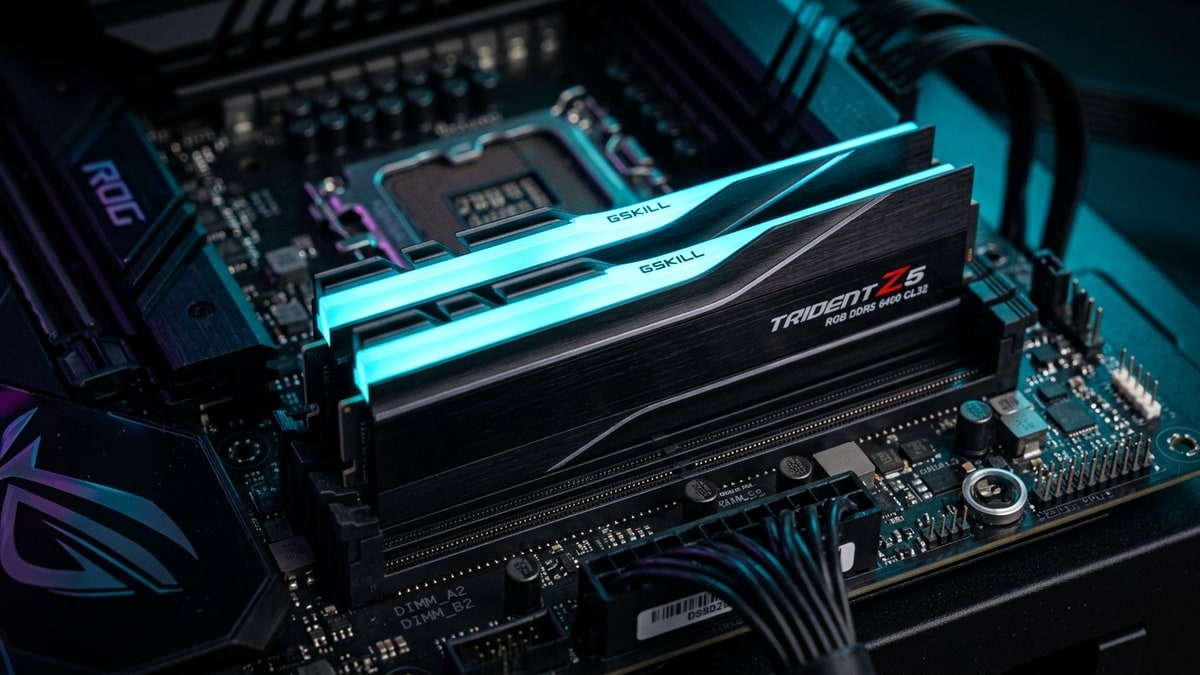
DDR5DDR5. A generation of system RAM (memory); newer and faster than DDR4. kits live and die by one number that almost never appears on the box: the gear ratio between the memory clock and the integrated memory controller. DDR5-6000 CL30 and DDR5-8000 CL38 look like a clean speed-versus-latency trade on the spec sheet — 9.50ns first-word latency and 64GB/s per channel for the 8000 kit against 10.00ns and 48GB/s for the 6000 kit — but the real result flips by platform. On AMD AM5 the slower, cheaper 6000 kit wins in games; on Intel Arrow Lake the faster 8000 kit pulls ahead. The reason is the gear.
What it covers: DDR5-6000 CL30 wins on AMD AM5 while DDR5-8000 wins on Intel Arrow Lake, and the memory controller gear decides it. Why it matters: The faster kit costs more and can be slower in games depending on the platform, so the gear ratio matters more than the box number. Who should pick this: Buyers choosing between a cheap 6000 CL30 kit and a premium 8000 kit for a new AM5 or Arrow Lake system.
What changed
The AMD sweet spot
DDR5-6000 CL30 became the de facto AMD sweet spot with the AM5 launch and stayed there through Zen 5. TechSpot, testing Ryzen 7 9700X across DDR5-5600, several DDR5-6000 configs (CL30, CL28, CL26), and DDR5-8000, found that the 1:1 memory-controller coupling at 6000 is the structural reason the kit holds up: at DDR5-6000 the memory clock is 3,000MHz and the UCLK (Unified Memory Controller Clock) matches it at 3,000MHz.
Push past a memory clock of ~3,000MHz and the Zen 5 integrated memory controller cannot hold the 1:1 ratio stably, so it drops to a 2:1 ratio. At DDR5-8000 the memory clock is 4,000MHz but the controller runs at 2,000MHz — 33% slower than at DDR5-6000. The extra bandwidth of 8000 sometimes overcomes that controller penalty, but on most games and most silicon it does not.
Arrow Lake
The same 2:1 coupling is not a penalty on Intel. Arrow Lake / Core Ultra 200S is built for higher gear-2 speeds natively, so DDR5-8000 CL38 runs in its intended mode rather than as a forced decoupling.
TechCompare’s analysis frames the split plainly: on AMD AM5, 6000 stays in 1:1 (UCLK=MCLK, FCLK ~2,000MHz) and 8000 forces a 2:1 gear that adds latency and frequently fails to POST, so 6000 CL30 is usually faster in games despite worse on-paper numbers; on Intel Arrow Lake both kits run in gear-2 natively, so the 8000 kit’s spec-sheet win holds.
TechPowerUp’s Zen 5 scaling review tested the Ryzen 9 9950X from JEDEC DDR5-4800 up to DDR5-8000 CL38, including DDR5-6000 CL28 — a tight-timings take on AMD’s official DDR5-6000 sweet-spot recommendation — and DDR5-6400 at a 1:1 UCLK, which ran stably and marks the practical ceiling before the 2:1 drop.
How it works
True latency
True latency is CAS Latency (CL) multiplied by the clock-cycle time. Faster MT/s shortens the cycle; a higher CL lengthens the cycle count. DDR5-6000 CL30: 30 × (1 / 3.0GHz) = 10.00ns first-word. DDR5-8000 CL38: 38 × (1 / 4.0GHz) = 9.50ns. By raw timing math the 8000 kit is lower latency and higher bandwidth. The number that actually reaches the CPU is the effective latency after the controller’s gear, and that is where the platforms split.
On AMD
On AMD, the Infinity Fabric (FCLK) and the memory controller want to stay synchronized with the memory clock at 1:1. At 6000 the controller and memory both run at 3,000MHz and FCLK sits at ~2,000MHz; the controller is fast and the path is short. At 8000 the controller is forced to 2,000MHz (half the 4,000MHz memory clock), so every memory access pays an extra controller-side hop.
NoobFeed’s dual-platform testing put the synchronization point precisely: in 1:1 mode the controller speed equals the memory speed; in 1:2 (2:1) mode the controller runs at half the memory speed. At 6000MHz the effective memory clock is 3,000MHz and the controller matches it at 3,000MHz while FCLK runs at 2,000MHz — desynchronized. At 8000MHz the memory clock is 4,000MHz, the controller is 2,000MHz, and FCLK is also 2,000MHz — re-synchronized at the lower rate.
That re-sync at the controller’s lower clock is why 8000 can recover some latency on AMD but still trails a 1:1 6000 or 6400 config in most games.
Intel’s controller
Intel’s controller is designed around gear-2 from the start, so the 2:1 ratio is the native operating point rather than a fallback. Hardware Busters’ Intel Core Ultra 9 285K + ASRock Z890 testing and PC Unboxing’s dual-platform DDR5 comparison both show 8000 delivering more bandwidth on Arrow Lake than 6000 kits — and in PC Unboxing’s AIDA64 runs on the Z890 platform, the 8000 CL40 kit posted the lowest latency of the kits tested — because the platform is not paying a coupling penalty for the higher clock.
The secondary factor
The secondary factor is timings, not just speed. TechSpot found that DDR5-6000 CL26 (the new low-latency Hynix kits) closed most of the gap to DDR5-8000 on Zen 5 — in Cyberpunk 2077 at 1080p, 8000 was only 2% faster than the new CL26 memory despite a 33% bandwidth edge, and the CL30-to-CL40 difference at 6000 was negligible. Tighter timings at the sweet-spot frequency recovered what raw speed tried to buy.
What it means
The platform-specific verdict is the whole point and it is stable across the reputable benchmarks. TechSpot’s bottom line, after testing Cyberpunk 2077, Horizon Zero Dawn Remastered, Marvel Rivals, and Counter-Strike 2 on the 9700X: DDR5-8000 was up to 12% faster than DDR5-6000 CL30 in the best CPU-limited case (Cyberpunk 1080p) but only 2% faster than DDR5-6000 CL26, and in GPUGPU. Graphics Processing Unit — the chip that renders the game's visuals; the main driver of framerate and image quality.-heavy single-player titles the memory barely mattered — they recommend pairing an AM5 processor with DDR5-6000 CL30, as they have since Zen 4.
NoobFeed’s data agreed: on the 9700X, 8000 beat 6400 by a hair and 6000 by a few percent in CPU FPSframerate. How many images (frames) the game shows per second; higher = smoother motion. 60 fps is a common target., while on the 9950X3D the average-FPS differences collapsed to around a percent because 3D V-Cache3D V-Cache. AMD's stacked L3 cache that gives the CPU very fast access to data, notably boosting game framerates. makes the CPU far less memory-sensitive.
On the Intel 13900K in the same test, 8000 was clearly best — about 5.5% ahead of 6000 in Call of Duty and Cyberpunk.
The bandwidth-beats-latency rule therefore has a clean platform condition attached. On AMD AM5 (Ryzen 7000/9000, non-X3D), the 1:1 fabric coupling of DDR5-6000 CL30 wins in games; 8000 forces a 2:1 gear that adds latency and often fails to POST, and DDR5-6400 at 1:1 is the realistic ceiling before you fall off the coupling cliff.
On Intel Arrow Lake / Core Ultra 200S, the controller is built for gear-2, so DDR5-8000 CL38–CL42 genuinely pulls ahead in both bandwidth and effective latency — provided you have a strong IMC, a 2-DIMM board, and the cooling to hold it, because 8000 is not plug-and-play: TechSpot found roughly half of the X870/X870E boards they tested would not boot or were unstable at DDR5-8000 with the same CPU and kit, and the limiter was the motherboard, not the silicon.
The price framing sharpens the recommendation. As of TechSpot’s testing:
| Kit | Price |
|---|---|
| a 32GB DDR5-6000 CL30 kit | around $110 |
| DDR5-5600 | around $80 (not worth the $30 saving) |
| DDR5-6000 CL28 | around $120 |
| the new CL26 kits | at $180-plus |
| DDR5-8000 | around $170 |
On AMD the $110 CL30 kit matches or beats the $170 8000 kit in actual games. For a pure AMD gaming build the answer is unambiguous: DDR5-6000 CL30. For an Intel Arrow Lake build where the board and IMC cooperate, DDR5-8000 CL38 is the productivity-and-high-refresh pick and the bandwidth is genuinely free. For an X3D AMD part, memory speed barely registers — spend the difference on the CPU.
The 6400 middle option deserves a footnote because it is where AMD buyers who want more than 6000 should actually look before jumping to 8000. TechPowerUp’s Zen 5 scaling treated DDR5-6400 at a 1:1 UCLK as a real, stable configuration on the 9950X — the practical edge of the 1:1 cliff — and NoobFeed’s testing found 6400 CL28 essentially matching 8000 on the 9700X in Call of Duty and Counter-Strike and trailing by only a small margin in Cyberpunk, while requiring no 2:1 gear drop and no exotic motherboard.
The read for a builder: on AM5, 6000 CL30 is the safe sweet spot, 6400 CL28 1:1 is the enthusiast step that costs almost nothing in latency risk and recovers most of the 8000 gain, and 8000 is the bet that only pays on Intel or on AMD boards that genuinely boot it — which, per TechSpot’s X870 survey, is roughly a coin flip.
Next read
- For the platform-side fixes that set Arrow Lake’s memory ceiling, see Arrow Lake’s Memory Latency Problem.
- For the BIOS and profile steps that recover frames on Arrow Lake, see Tuning Arrow Lake.
- For how memory latency fits the full input-to-photon chain, see End-to-End Input Lag in 2026 PCs.