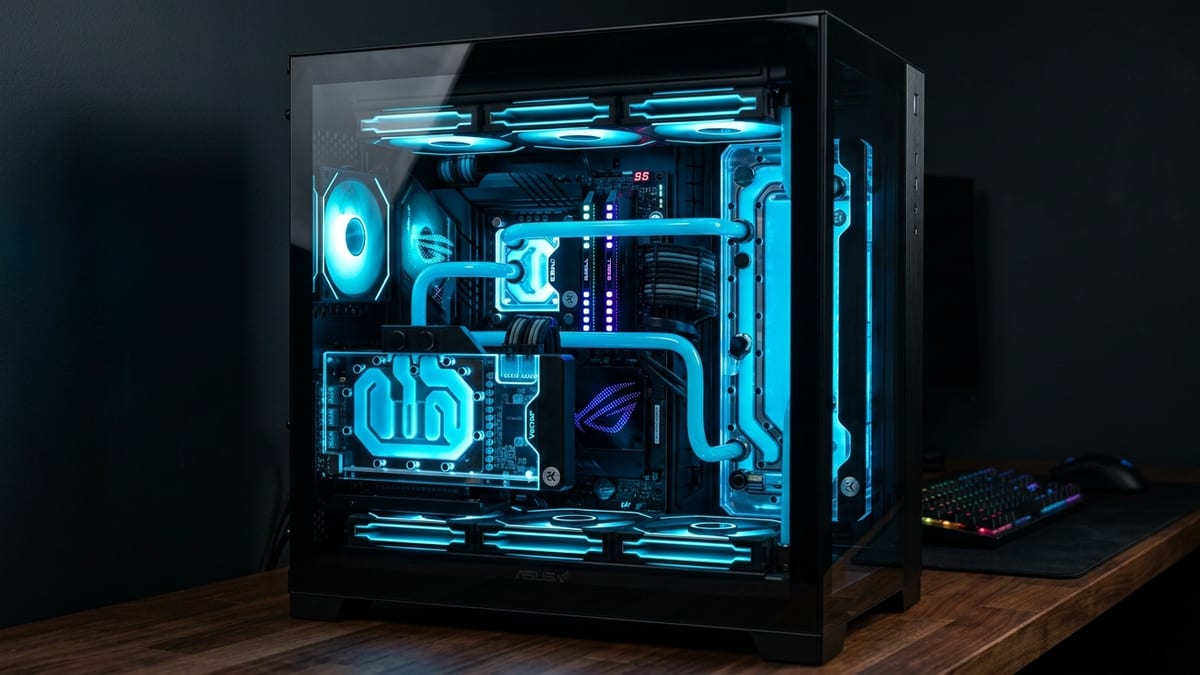
Hardware guides age fast, but the logic behind them doesn’t. Pick a resolution target, pick a frame-rate target, then spend the minimum that clears both — and identify the part you’ll replace first. That last step is what separates a build guide from a parts dump. Below are three tiers calibrated against 2026 pricing, with the bottleneck each one runs into before anything else.
Prices are USD MSRP-adjacent estimates for mid-2026; street prices drift weekly, so treat the totals as planning targets rather than receipts — verify current pricing before buying.
What it covers: Three 2026 build tiers ($1,000 / $1,500 / $2,500) with the first bottleneck each one hits. Why it matters: Each tier’s VRAMVRAM. Video RAM — memory on the graphics card used for textures and frames; more of it lets you run higher settings. ceiling arrives before its GPUGPU. Graphics Processing Unit — the chip that renders the game's visuals; the main driver of framerate and image quality. does — the part you replace first decides the budget. Who should pick this: Builders picking a 1440p or 4K target before shopping parts.
Price snapshot — storage and RAM superseded: The component prices below were captured on 15 August 2026, before the late-2026 NAND squeeze moved them sharply: TrendForce contract prices rose roughly 85–90% quarter-on-quarter into Q1 2026 and street prices followed, so the 2TB NVMe “$90–110” and 32GB DDR5DDR5. A generation of system RAM (memory); newer and faster than DDR4. “$85” figures are historical, not current. The tier structure and part choices hold; for what storage costs today, see SSD prices and the NAND squeeze: buy now or wait.
How the tiers are ranked
| Tier | Target | Resolution | Frame-rate goal | First bottleneck |
|---|---|---|---|---|
| $1,000 | Entry 1440p | 2560×1440 | 60–90 fpsframerate. How many images (frames) the game shows per second; higher = smoother motion. 60 fps is a common target., mixed settings | GPU VRAM |
| $1,500 | Strong 1440p / entry 4K | 1440p high-refresh, 4K 60 | 120+ fps @1440p, 60 @4K | GPU raster headroom |
| $2,500 | High-end 4K | 3840×2160 | 90–120 fps @4K, upscaling optional | CPU single-thread + RAM latency |
The ranking criteria: sustained frame rate at the target resolution, VRAM headroom for the next two years of texture patches, and a clear upgrade path that doesn’t force a platform swap.
Tier 1 — $1,000: Entry 1440p that ages on VRAM
Parts list
| Component | Pick | Est. price |
|---|---|---|
| CPU | AMD Ryzen 5 7600 (or 9600X at parity) | $180–200 |
| Cooler | Stock Wraith Stealth or $25 tower | $0–25 |
| Motherboard | B650 mid-range (DDR5, one M.2) | $110–130 |
| RAM | 32GB DDR5-6000 CL30 (2×16) | $80–95 |
| GPU | AMD Radeon RX 7600 XT 16GB | $300–330 |
| Storage | 1TB PCIe 4.0 NVMe | $60–75 |
| PSU | 650W 80+ Gold, ATX 3.0 | $60–75 |
| Case | Mesh front, 2–3 included fans | $60–80 |
| Total | ~$950–1,010 |
What it actually does
A six-core Zen 4 part on AM5 plus a 16GB RX 7600 XT clears 60 fps at 1440p high in most current AAA releases, and pushes 90+ in well-optimized titles. The 16GB frame buffer is the load-bearing decision here: 8GB cards in this bracket stutter on modern texture packs and ultra preset VRAM allocation, and a 2026 buyer shouldn’t mortgage the next two years over $30 of VRAM.
The bottleneck it hits first
GPU VRAM and raw raster throughput. The 7600 XT is VRAM-safe but compute-limited — turn on ray tracingray tracing. A rendering technique that simulates how light bounces, for realistic shadows, reflections, and lighting — costly to compute. or push past 1440p and frame times sag. The CPU and 32GB of CL30 DDR5 are not the limiter at this resolution; you’re paying for headroom that the GPU can’t use yet, which is fine, because the GPU is the cheap part to replace.
Upgrade path
- Drop in a stronger GPU later — AM5 keeps you on the same board through at least 2027, so a future RX 8000 or RTX 60-class mid-range card is a direct swap.
- Add a second NVMe when game libraries exceed 1TB — the B650 board has the slot.
- Skip the CPU until a 9000X3D part drops below $200; at 1440p the uplift is marginal until the GPU is replaced first.
Tier 2 — $1,500: Strong 1440p, entry 4K
Parts list
| Component | Pick | Est. price |
|---|---|---|
| CPU | AMD Ryzen 7 9800X3D | $380–430 |
| Cooler | $35–50 dual-tower air | $40 |
| Motherboard | B650 / X670 mid-range | $130–160 |
| RAM | 32GB DDR5-6000 CL30 | $85 |
| GPU | NVIDIA RTX 5070 12GB or RX 7800 XT 16GB | $480–560 |
| Storage | 2TB PCIe 4.0 NVMe | $90–110 |
| PSU | 750W 80+ Gold, ATX 3.0 | $75–95 |
| Case | Mesh mid-tower, good airflow | $70–90 |
| Total | ~$1,350–1,560 |
What it actually does
The 9800X3D is the single best gaming CPU on AM5 for frame-time consistency — its stacked L3 cache flattens 1% lows in CPU-heavy engines (RTSRTS. Real-Time Strategy — a strategy game where everyone plays at the same time, continuously, instead of taking turns. large battles, MMOMMO. Massively Multiplayer Online — a game that hosts very large numbers of players together in one shared, persistent world. crowded zones, high-fps sim titles). Paired with a 5070-class card, this tier holds 120+ fps at 1440p high in most titles and scrapes 60 fps at native 4K medium in well-optimized games. With DLSS 4 / FSR 4 upscaling at 4K, 90+ fps is realistic in well-optimized titles.
The bottleneck it hits first
GPU raster headroom at 4K, and the 12GB VRAM ceiling on the NVIDIA option. The CPU is overkill for 1440p and adequate for 4K — it’s the GPU that runs out of steam first. If you pick the RTX 5070, the 12GB buffer is the long-term risk: 4K ultra texture packs in 2026–2027 releases are already pushing past 12GB in some titles. The RX 7800 XT’s 16GB is safer for longevity but trades away ray tracing and upscaler quality.
The VRAM trade-off
This is the real decision at $1,500, and it’s worth stating plainly:
- RTX 5070 12GB — better upscaler (DLSS 4), better ray tracing, weaker raster-per-dollar, VRAM risk at 4K ultra within 2 years.
- RX 7800 XT 16GB — more VRAM, stronger raw raster, weaker upscaling, no meaningful RT. Better for 1440p-high-refresh purists.
If your 4K plan leans on upscaling rather than native ultra, take the 5070. If you want a card that won’t stutter on a 2028 texture patch, take the 7800 XT.
Upgrade path
- The CPU is settled — 9800X3D won’t bottleneck any GPU under a 5080, so future GPU swaps don’t force a board change.
- GPU swap in 2–3 years is the obvious move; AM5 + 750W gold leaves room for a 300W-class card.
- RAM is already 32GB CL30 — don’t touch it; going to 64GB doesn’t help gaming.
Tier 3 — $2,500: High-end 4K
Parts list
| Component | Pick | Est. price |
|---|---|---|
| CPU | AMD Ryzen 7 9800X3D (or 9950X3D for productivity) | $380–600 |
| Cooler | 360mm AIO liquid | $90–120 |
| Motherboard | X670E / X870E high-end | $200–280 |
| RAM | 32GB DDR5-6000 CL30 (64GB only if productivity) | $85–170 |
| GPU | NVIDIA RTX 5080 16GB | $1,000–1,200 |
| Storage | 2TB PCIe 5.0 NVMe | $130–180 |
| PSU | 1000W 80+ Platinum, ATX 3.0 | $130–170 |
| Case | Premium mesh, 3+ fans | $100–150 |
| Total | ~$2,400–2,700 |
What it actually does
A 9800X3D plus RTX 5080 is the 2026 no-compromise 4K pairing below the $4k halo tier. Native 4K high lands 90–120 fps in most titles; with DLSS 4 in quality or performance mode, 120+ fps at 4K is achievable in well-optimized games. The 16GB buffer on the 5080 is adequate for 4K ultra today but is the same capacity that looks risky at the $1,500 tier — here you’re paying for compute, not for VRAM comfort margin.
The bottleneck it hits first
CPU single-thread and RAM latency, then GPU compute ceiling. At 4K the GPU is usually the limiter, but the moment you drop to 1440p for high-refresh esports or CPU-heavy RTS/MMO titles, the 9800X3D’s cache and the DDR5-6000 CL30 timing become the ceiling on 1% lows. This is the tier where memory tuning (manually setting EXPO + tREFI, tCL) and a clean Windows install actually move the needle.
Above this point, returns diminish sharply — a 5090 class card costs nearly double for roughly 30–55% more raster.
Why not a 9950X3D?
The 9950X3D has two CCDs, only one of which carries the 3D V-cache3D V-Cache. AMD's stacked L3 cache that gives the CPU very fast access to data, notably boosting game framerates.. Games scheduled on the wrong CCD lose the cache benefit, and Windows scheduling handles this imperfectly — you can see frame-time regressions versus the single-CCD 9800X3D in cache-sensitive titles. The 9950X3D earns its price only if you also do rendering, compiling, or streaming on the same machine. Pure gaming: stay on the 9800X3D and put the savings into the GPU or a bigger NVMe.
Upgrade path
- GPU is the only meaningful swap — and at this tier the next step is a 5090-class card, which may need a PSU bump to 1000–1200W.
- PCIe 5.0 NVMe is future-proofing for DirectStorage titles; few games use it today, so this is optional spend, not required.
- Don’t upgrade the CPU on AM5 — the next real CPU jump requires a platform change, so ride the 9800X3D until AM6.
Cross-tier rules that don’t change
A few decisions hold across all three tiers regardless of budget:
- 32GB DDR5-6000 CL30 is the sweet spot. Faster kits cost more for negligible gaming gain; slower kits cost the 1% lows. Two sticks, not four, for stable EXPO speeds.
- ATX 3.0 PSU with a 12V-2×6 connector avoids adapter mess on any NVIDIA 40/50-series card. Don’t reuse an old PSU.
- Mesh front case > glass front case. Thermal throttling silently caps your GPU; airflow is free performance.
- Buy the GPU last if you’re spreading purchases — it’s the part most likely to see a price drop or a replacement SKU within a quarter.
The honest version of each tier
- $1,000 gets you a real 1440p machine that will stutter on a 2028 ultra texture pack. Plan to replace the GPU in 2–3 years; the rest of the build carries forward.
- $1,500 is the value peak — strong 1440p high-refresh and credible entry 4K, with a CPU that outlives the GPU. The only hard call is the 12GB-vs-16GB VRAM fork.
- $2,500 clears 4K 90+ fps today but hits diminishing returns immediately above. The 5080’s 16GB is the same ceiling the mid-tier flirts with, just pushed further out by raw compute.
Build for the resolution you actually run, buy the VRAM you’ll need in two years, and let the GPU be the part you replace — not the motherboard.
Sources & further reading
- Tom’s Hardware PC building guides and benchmarks — https://www.tomshardware.com/
- Hardware Unboxed benchmark database (YouTube) — https://www.youtube.com/@HardwareUnboxed
- Gamers Nexus case and cooler testing — https://gamersnexus.net/
- AMD Ryzen 9000 series product page — https://www.amd.com/en/products/processors/desktops/ryzen/9000-series.html
- NVIDIA RTX 50 series product page — https://www.nvidia.com/en-us/geforce/graphics-cards/50-series/
- PCPartPicker for current street pricing — https://pcpartpicker.com/
Next read
- To stress-test any part combination against 26 tracked titles, try the PC Build Analyzer.
- For the per-game numbers this ladder assumes, see VRAM Tiers 2026: 1440p vs 4K Stuttering.
- For the CPU half of the budget, see CPU-Bound Gaming in 2026: When X3D Wins.