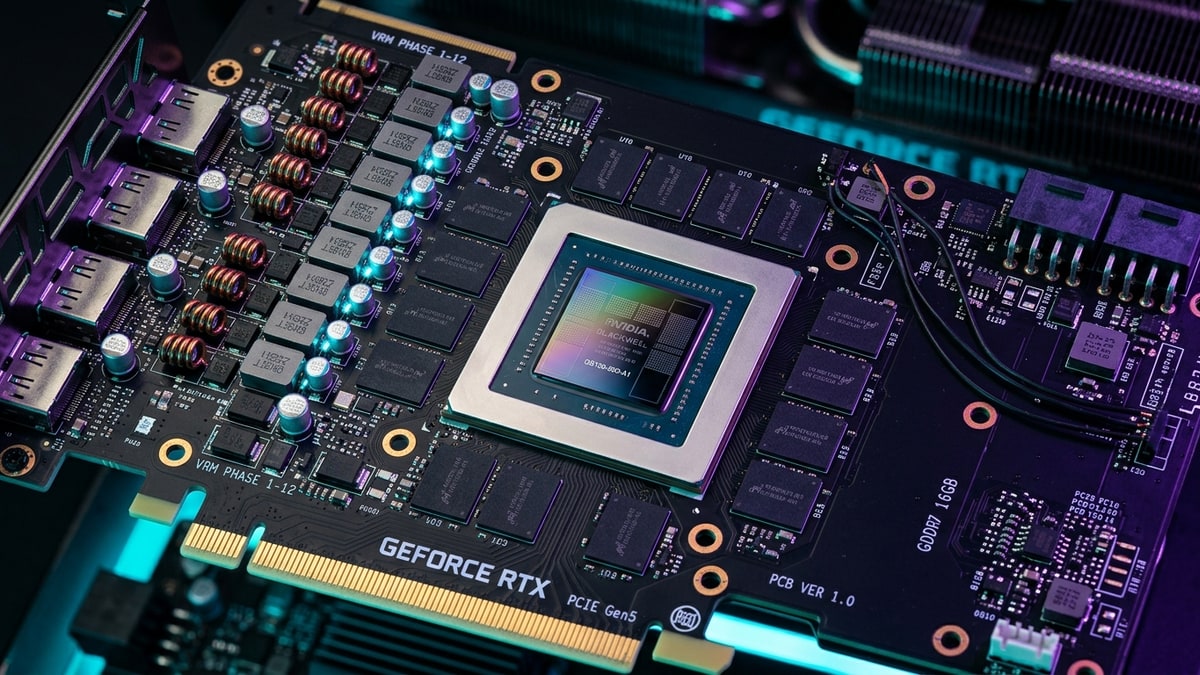
VRAMVRAM. Video RAM — memory on the graphics card used for textures and frames; more of it lets you run higher settings. capacity has become the single most common bottleneck for PC gamers in 2026. Texture packs, ray-traced global illumination, and frame-generation pipelines have all raised the floor on how much framebuffer memory a card needs before it starts borrowing from system RAM — and once that spill happens, frame times fragment and stuttering follows. This piece maps where the three mainstream VRAM tiers (8GB, 12GB, 16GB) run out of headroom at 1440p and 4K, and which settings push each tier past the cliff.
What it covers: Where 8GB, 12GB, and 16GB run out of headroom at 1440p and 4K — and which settings push each over. Why it matters: The spill to system RAM fragments frame times while average FPSframerate. How many images (frames) the game shows per second; higher = smoother motion. 60 fps is a common target. still looks fine in a benchmark. Who should pick this: Buyers sizing VRAM to their resolution and settings.
What “stuttering from VRAM” actually is
Oversubscription and the system-RAM spill
A GPUGPU. Graphics Processing Unit — the chip that renders the game's visuals; the main driver of framerate and image quality. only stutters from VRAM when its framebuffer exceeds installed capacity and the driver begins paging texture and geometry data to system RAM. That paging happens across the PCIe bus, which is orders of magnitude slower than on-board GDDR6/6X. The result isn’t a lower average framerate — it’s frame-time spikes: a frame that should take 8ms suddenly takes 30–80ms while the driver waits on a texture fetch. Average FPS can look fine in a benchmark while the game feels awful.
Two failure modes
VRAM-limited stutter shows up in two patterns. The first is streaming stutter — short hitches when turning to face a new area as textures load in. The second is sustained thrashing — consistent micro-stutter because the working set is permanently larger than VRAM and the driver is constantly evicting and re-fetching. The second is worse and harder to fix with settings alone.
How to read the tiers
8GB: the entry floor, and the first to fall
8GB cards (RTX 4060, RTX 5060, RX 7600-class, Intel Arc B580) are the cheapest tier still widely sold in 2026. The framebuffer is adequate for 1080p with high textures and no ray tracingray tracing. A rendering technique that simulates how light bounces, for realistic shadows, reflections, and lighting — costly to compute., but it is the first tier to break at higher resolutions.
12GB: the mid-range comfort zone
12GB cards (RTX 4070, RTX 5060 Ti 12GB, RX 7700 XT, RX 9070) cover most of the mid-range. At 1440p this is generally enough for high textures with selective ray tracing, though the newest titles with heavy RT can still push past it at 4K.
16GB: the 4K baseline
16GB cards (RTX 4070 Ti Super, RTX 5070 Ti, RX 7900 XT, RX 9070 XT) are what most reviewers now recommend as a 4K minimum for modern engines with ray tracing enabled. At 1440p this tier is largely comfortable; at 4K it can still saturate with maxed RT and ultra texture packs.
1440p: where each tier breaks
At 1440p the pressure is moderate but rising. The following table summarizes typical headroom based on common 2025–2026 AAA workloads with high-to-ultra settings. Specific numbers are representative ranges and should be treated as approximate.
| VRAM tier | Typical 1440p headroom | First stutter trigger | Settings to cut first |
|---|---|---|---|
| 8GB | Tight on modern AAA, breaks with RT | Ray tracing on, ultra textures, HD texture packs | RT shadows/reflections; drop textures to medium-high |
| 12GB | Comfortable without RT, borderline with heavy RT | Full RT + ultra textures + frame-gen overhead | RT global illumination; texture pack to high (not ultra) |
| 16GB | Comfortable for almost all 1440p | Rare — only full-path RT + HD texture packs at max | Usually none needed; headroom exists |
8GB at 1440p
With ultra textures and ray tracing enabled, 8GB at 1440p is in oversubscription territory on most current-generation engines. Titles using Unreal EngineUnreal Engine. A widely-used commercial game engine from Epic Games; powers many large-studio (AAA) games. UE5 is the current generation. 5 with Lumen GI can push a 1440p framebuffer past 8GB even before an HD texture pack is applied. The practical fix: disable hardware RT, drop textures from ultra to high, and keep anti-aliasing to TAA or an upscaler rather than raw MSAA. Without RT, 8GB at 1440p high textures is generally viable, though the newest UE5 titles are eroding that margin.
12GB at 1440p
12GB is the sweet spot for 1440p in 2026. Without ray tracing, ultra textures and frame generation fit comfortably. With full ray tracing, 12GB is workable but can stutter in scenes with high material complexity — Lumen + reflections + ultra textures can approach 11–13GB of working set on UE5 titles. The fix is usually selective: keep RT reflections but disable RT global illumination, or use a balanced RT preset rather than maximum.
16GB at 1440p
16GB at 1440p has meaningful headroom on virtually every current title. The only scenario that consistently stresses it is full-path ray tracing (the most demanding RT mode, tracing every bounce) combined with an HD texture pack. Even then, 16GB usually holds — the bottleneck shifts to compute, not memory. If you’re buying for 1440p longevity, 16GB is overkill today but a sensible buffer for the next 2–3 years.
4K: where each tier breaks
4K is where VRAM tiers separate sharply. The 4K framebuffer alone (3840×2160) is roughly 2.25× the pixel count of 1440p, and texture detail scales with it. The table below summarizes typical 4K behavior:
| VRAM tier | Typical 4K headroom | First stutter trigger | Settings to cut first |
|---|---|---|---|
| 8GB | Insufficient for modern 4K AAA | Almost any ultra-texture 4K load | Drop to 1440p or use aggressive upscaling; textures to medium |
| 12GB | Workable only with upscaling + reduced RT | Ultra textures + any RT at native 4K | RT off or minimal; textures to high; enable DLSS/FSR Quality |
| 16GB | Viable with upscaling, tight at native + max RT | Native 4K + full-path RT + HD texture pack | Use DLSS/FSR Balanced; disable full-path RT; texture pack to high |
8GB at 4K
8GB is not a 4K tier for modern games. Even with aggressive upscaling (DLSS/FSR/XeSS at Performance or Ultra Performance modes), 8GB cards cannot hold ultra textures at 4K in most 2025–2026 AAA releases. The realistic options are: render at 1440p and upscale to 4K output, drop textures to medium, or accept that 8GB is a 1080p–1440p card. Stuttering at 4K on 8GB is the expected outcome, not an edge case.
12GB at 4K
12GB at 4K is viable but constrained. With an upscaler at Quality or Balanced preset and textures at high (not ultra), 12GB can deliver smooth 4K on most titles. The trigger for stutter is native 4K with ultra textures, or 4K with any meaningful ray tracing without upscaling. Full-path RT at 4K is generally off the table for 12GB — that mode is the single largest VRAM consumer currently in shipping games. The practical 4K recipe for 12GB: DLSS/FSR Quality + high textures + selective RT (reflections only, no full GI).
16GB at 4K
16GB is the realistic 4K floor for 2026 if you want ray tracing and ultra textures together. With upscaling, 16GB handles nearly every current title at 4K with high-to-ultra textures and standard RT. The stutter trigger is native 4K (no upscaler) plus full-path RT plus an HD texture pack — that combination can approach 16GB and tip into oversubscription on the heaviest engines. For headroom at 4K with max RT, 20GB+ tiers (RTX 5080, RX 9070 XT 20GB variants where available) are the safer pick, but 16GB is where 4K stops being a constant compromise.
Settings that consume VRAM fastest
Not all settings are equal. The following ordered list reflects typical VRAM cost from highest to lowest, based on common engine behavior (specific magnitudes vary per title):
- Texture quality / texture pool size — the dominant factor. Each step (medium → high → ultra) can add 1–3GB depending on the title and whether an HD pack is layered on.
- Full-path ray tracing — the most memory-hungry RT mode; requires storing BVH structures and radiance caches. Can add 2–4GB over no-RT at 4K.
- Resolution — native 4K vs 1440p scales framebuffer and texture sample counts roughly with pixel count.
- Ray-traced reflections and GI — selective RT modes; cheaper than full-path but still meaningful, especially GI.
- Frame generation overhead — frame-gen buffers add a modest VRAM cost (typically under 1GB) but also raise the cost of any oversubscription since more frames are in flight.
- Anti-aliasing / upscaler preset — native MSAA is memory-heavy; DLSS/FSR/XeSS reduce effective render resolution and thus VRAM pressure.
The texture-quality lever
If you have to cut one setting to fix VRAM stutter, cut texture quality first. It is the single largest consumer and the one that most directly controls whether the working set fits in VRAM. Dropping ultra to high usually recovers 1–2GB with a modest visual cost; dropping to medium recovers more but visibly blurs surfaces. RT settings, by contrast, often cost more performance than VRAM relative to their visual payoff, and disabling RT entirely can mask a borderline VRAM situation by lowering the working set below the spill point.
Upscaling changes the math
DLSS, FSR, and XeSS reduce effective render resolution, which lowers framebuffer and texture-sample VRAM pressure. A 12GB card running DLSS Quality at 4K (rendering at ~1440p internally) faces closer to 1440p VRAM demands, not native 4K. This is why 12GB is workable at 4K with upscaling but often stutters at native 4K. Upscaling is not a free lunch — it trades image detail for headroom — but it is the most effective tool for keeping a lower-VRAM tier viable at higher output resolutions.
Upscaler preset and VRAM
The more aggressive the upscaler preset, the lower the render resolution and the lower the VRAM load. Performance mode (rendering at roughly half the output resolution in each axis) cuts VRAM demand substantially versus Quality mode. For an 8GB card targeting 4K output, Performance or Ultra Performance upscaling plus medium textures is often the only configuration that avoids sustained stutter.
A practical buying frame
| Use case | Minimum VRAM recommendation (2026) | Notes |
|---|---|---|
| 1080p, high settings, no RT | 8GB | Viable; tight on newest UE5 titles |
| 1440p, high settings, selective RT | 12GB | Sweet spot |
| 1440p, ultra, full RT, longevity | 16GB | Comfortable now, buffer for 2–3 years |
| 4K, upscaling, high textures, selective RT | 12GB | Workable with upscaling |
| 4K, native or full-path RT, ultra textures | 16GB+ | 16GB floor; 20GB+ for max RT headroom |
The pattern is clear:
- 8GB is a 1080p tier pretending it can do 1440p
- 12GB is the real 1440p tier and a constrained 4K tier
- 16GB is the honest 4K floor for anyone who wants ray tracing and ultra textures without constant compromise.
The gap between what marketing calls a resolution tier and what the VRAM buffer can actually hold is the core issue — and it widens every year as engines lean harder on large texture pools and ray-traced lighting.
Sources & further reading
- NVIDIA GeForce RTX 50 series product pages — https://www.nvidia.com/en-us/geforce/graphics-cards/
- AMD Radeon RX 9000 / RDNA 4 product pages — https://www.amd.com/en/products/graphics-laptops-desktops.html
- Intel Arc B-series graphics product pages — https://www.intel.com/content/www/us/en/products/details/discrete-graphics.html
- Hardware Unboxed VRAM testing (YouTube channel, recurring GPU reviews) — https://www.youtube.com/@HardwareUnboxed
- Tom’s Hardware GPU reviews and VRAM coverage — https://www.tomshardware.com/reviews/gpu
- PC Gaming Wiki (per-game texture/VRAM notes) — https://www.pcgamingwiki.com
Next read
- For the card where the gap is starkest, see RTX 5060 Ti: 16GB vs 8GB at 1440p Ultra.
- For the builds these tiers slot into, see Gaming PC Build Tiers 2026: 1440p and 4K.
- For what UE5’s systems demand on top, see UE5 in 2026: Nanite, Lumen, and the VRAM Cost.