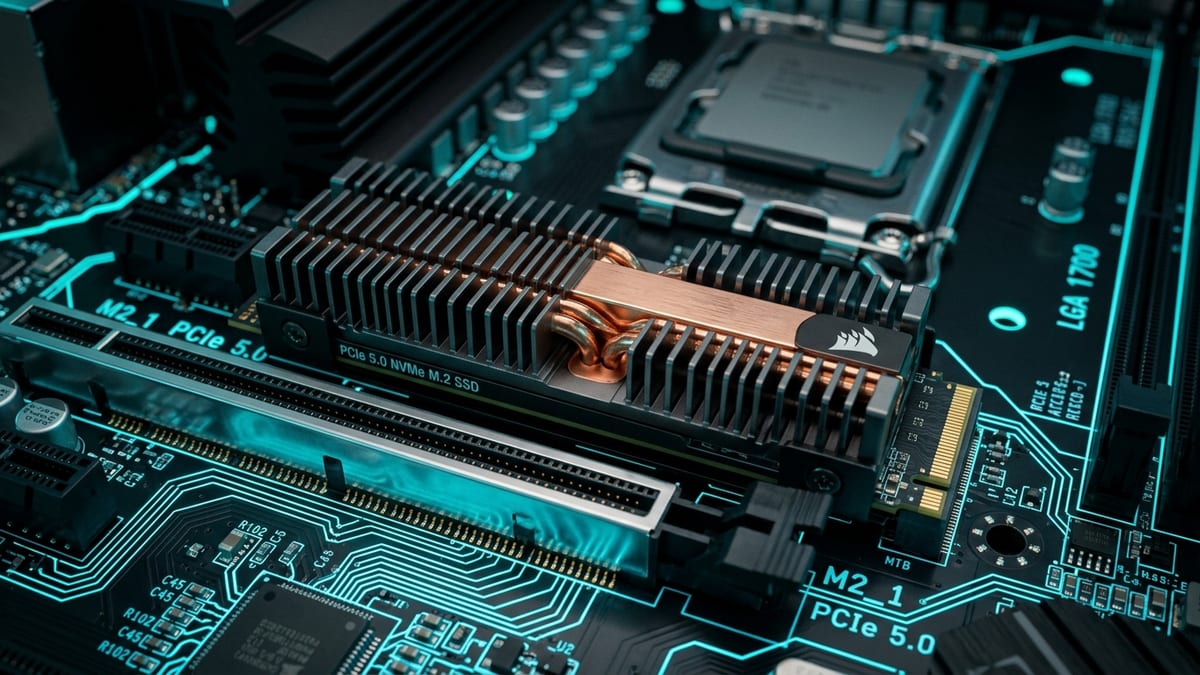
PCIe 5.0 NVMe drives doubled the headline number on the box, taking sequential read speeds from roughly 7,000 MB/s on Gen4 to about 14,000 MB/s on Gen5. The catch for anyone building a gaming rig is that the number on the box is not the number that loads your games.
What it covers: PCIe 5.0 NVMe bandwidth against Gen4 in real game loading, why sequential speed barely moves load screens, and where DirectStorage changes the math. Why it matters: Doubling sequential bandwidth trims only a fraction of a second off most loads because games read small files and decompress on the CPU, so a Gen4 drive is often the better buy. Who should pick this: PC builders deciding between a large Gen4 drive and a smaller Gen5 one, and anyone who also moves large files and wants the bandwidth to pay off.
The bandwidth gap, on paper
A single PCIe 5.0 x4 link carries about 16 GB/s, double the 8 GB/s of a PCIe 4.0 x4 link and four times the 4 GB/s of PCIe 3.0 x4.
Early Gen5 drives built around the Phison E26 controller deliver on that promise in synthetic tests. Crucial’s T700 is rated for 12,400 MB/s sequential read and 11,800 MB/s sequential write, and independent testing has measured write speeds within a fraction of a percent of the advertised figure. Seagate’s FireCuda 540 lands around 10,000 MB/s on both sequential reads and writes. Against a mature Gen4 drive like the Samsung 980 Pro at about 7,000 MB/s, the raw gap is real and large — for the workloads that actually use sequential throughput.
Why sequential speed doesn’t load games
Game loading is not a sequential read. A level is made of thousands of small files — textures, models, shaders, audio — scattered across the drive, and the SSD services them as random 4K requests. That is where the generations converge. Independent measurements put 4K random read performance at roughly 80 MB/s on a good Gen4 drive and around 95 MB/s on a Gen5 drive, a gap of only about 20 percent rather than the 100 percent the sequential headline implies.
On top of that, the SSD is rarely the long pole in the load chain.
- Assets are compressed on disk and have to be decompressed before the GPUGPU. Graphics Processing Unit — the chip that renders the game's visuals; the main driver of framerate and image quality. can use them, and that decompression is CPU work.
- Shader compilation on first load is CPU and GPU work, not storage work.
- Game engines also add their own scheduling overhead.
The result, confirmed across multiple publication test suites, is that doubling storage bandwidth trims only a fraction of a second off most load screens.
Benchmarks from The Verge’s head-to-head testing make the pattern concrete. Cyberpunk 2077 loaded in about 35 seconds on a Samsung 980 Pro (Gen4), 34.9 seconds on a Crucial T700 (Gen5), and 33.9 seconds on a Seagate FireCuda 540 (Gen5) — a spread of roughly one second across all three. Shadow of the Tomb Raider landed at 8.25 seconds on the 980 Pro versus 8.55 on the T700 and 8.3 on the FireCuda 540, effectively a tie.
| Game | Samsung 980 Pro (Gen4) | Crucial T700 (Gen5) | Seagate FireCuda 540 (Gen5) |
|---|---|---|---|
| Cyberpunk 2077 | about 35 seconds | 34.9 seconds | 33.9 seconds |
| Shadow of the Tomb Raider | 8.25 seconds | 8.55 seconds | 8.3 seconds |
Returnal and CS:GO showed the same story: all three drives finished within a fraction of a second, with the Gen5 drives occasionally a hair slower than the Gen4 drive inside run-to-run variance. Only Gears 5 stood out, dropping from about 57 seconds on Gen4 to about 53 seconds on Gen5. Across a normal gaming session the total time saved is typically a few seconds at most, and only a stopwatch tells you which drive is which.
Where Gen5 actually pulls ahead
The bandwidth that games ignore is exactly what content creators want. Copying a 50 GB file finishes in about 15 seconds on a Gen5 drive versus 25 seconds on Gen4 in one test, roughly half the time. Moving large project files, scrubbing through 4K and 8K footage, generating proxies, and running multiple virtual machines with heavy disk I/O all lean on sustained sequential throughput, and there the doubling is felt rather than measured. Database workloads with large sequential scans and workstation applications show a responsiveness improvement that gamers never see.
This is why the honest framing of Gen5 is “professional tool that also games” rather than “gaming upgrade.” If you edit video or move big files daily, the premium pays for itself in time. If your heaviest storage task is loading a game, it does not.
The heatsink question
Speed here costs heat and power. A Gen5 SSD draws 10 to 14 watts under sustained load, against 5 to 8 watts for Gen4, and the controller can climb past 70°C within minutes of a long sequential read without cooling. Once a drive hits its thermal limit it throttles, and that throttling can cut throughput substantially — wiping out the very advantage you paid for.
This is why almost every Gen5 drive ships with a heatsink or explicitly requires one, and why high-end motherboards now add dedicated M.2 cooling, sometimes active. The Crucial T700 and Seagate FireCuda 540 both reached roughly 60 to 64°C in testing relying on a motherboard heatsink, acceptable but not generous headroom. In a tight case, a Mini-ITX build, or a laptop where airflow to the M.2 slot is limited, Gen5 heat becomes a real design constraint, not a footnote. Gen4 drives are far more forgiving; many run fine with no dedicated heatsink at all.
That thermal requirement is the real cost of the Gen5 premium. You are not just paying more per gigabyte — often 50 to 100 percent more than equivalent Gen4 — you are also committing to a board with a Gen5 M.2 slot and adequate cooling for that slot. Installing a Gen5 drive in a Gen4 slot works because PCIe is backwards compatible, but it runs at Gen4 speeds, defeating the purpose.
DirectStorage: the real differentiator
The one thing that could flip the Gen5 value proposition for gamers is DirectStorage. Microsoft’s API lets the GPU decompress assets directly from the NVMe drive, bypassing the CPU decompression bottleneck that swallows most of the load time today. In theory, that makes faster storage matter for loading and for smooth open-world streaming without pop-in.
The evidence so far is encouraging but narrow. In Forspoken, one of the few titles to implement DirectStorage, the API cut load times by roughly a third on average — but a PCIe 3.0 drive was only about three seconds slower than a Gen5 drive across benchmark scenes despite having a quarter of the bandwidth. DirectStorage’s GDeflate compression pulls so much weight that the interface speed becomes a second-order factor. The implication is uncomfortable for Gen5 marketing: the technology that could justify faster drives also blurs the line between the generations.
Adoption remains the holdup. As of 2026 only a small but growing list of titles — Forspoken, Ratchet & Clank: Rift Apart, Diablo IV, and others — fully use DirectStorage, and it needs Windows 10 or 11 (Windows 11 is recommended) plus a DirectX 12 GPU to run. Until engines adopt it widely, Gen5’s gaming advantage stays theoretical. By the time it becomes standard, Gen5 drives will be cheaper and PCIe 6.0 will be arriving, which tempers the future-proofing argument considerably.
What it means for buyers
For a pure gaming build, the rational move is a large Gen4 drive rather than a small Gen5 one. Modern AAA titles run 50 to 150 GB each, and you run out of space long before you run into a storage speed wall. A 2 TB or 4 TB Gen4 drive at roughly $0.06 to $0.08 per gigabyte beats a 1 TB Gen5 drive at roughly $0.10 to $0.14 per gigabyte for the thing gamers actually feel — capacity.
The money saved is better spent on a GPU tier, which changes frame rates, where SSD speed does not. Storage affects load times and asset streaming; it has no measurable effect on in-game FPSframerate. How many images (frames) the game shows per second; higher = smoother motion. 60 fps is a common target. once a level is resident in memory.
Gen5 earns its premium when your day includes moving 50 GB files, editing high-resolution footage, running databases, or heavy VM work — workloads where sustained sequential throughput translates to minutes saved per task. For everyone else, Gen4 is still the sweet spot, and the heatsink you don’t have to buy is part of why.
The honest upgrade advice is generational. Coming from a SATA SSD or a hard drive, any NVMe drive cuts load times dramatically — that is the biggest jump in the storage stack. Coming from Gen3 to Gen4 is a worthwhile two-to-five-second improvement. Coming from Gen4 to Gen5 is a stopwatch exercise for games and a real win only for the workloads above. Buy the bandwidth you will actually use, not the number on the box.
Next read
- For the ARPGARPG. Action RPG — an RPG with real-time combat rather than turn-based fights. build that leans on fast storage during dense fights, see Stutter-Free ARPG Endgame: Building for 1% Lows in Path of Exile 2 and Last Epoch.
- For the raid build where storage feeds zone changes and spells, see Why 1% Lows Matter More Than Peak FPS in 24-Player MMO Raids.
- For the console whose 2 TB SSD and expansion ceiling address the same install-size pressure, see PlayStation 5 Pro Released on November 7, 2024 with Faster GPU and AI Upscaling.