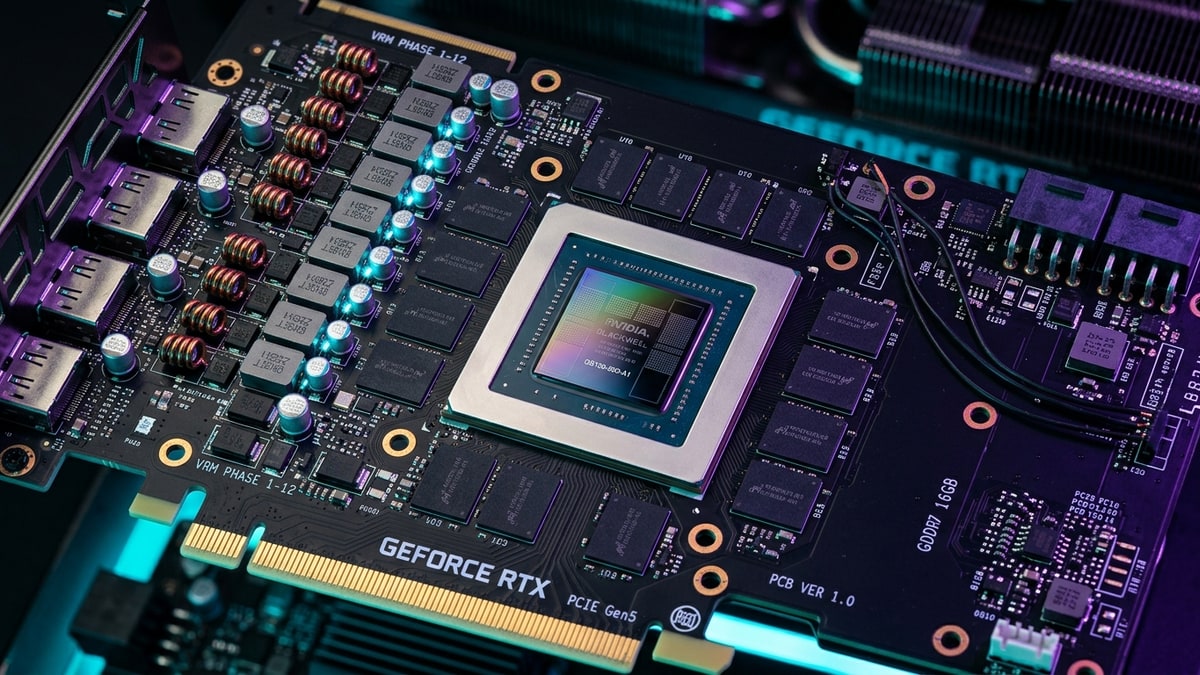
What it covers: Why 16GB of VRAMVRAM. Video RAM — memory on the graphics card used for textures and frames; more of it lets you run higher settings. pulls ahead of the 8GB RTX 5060 Ti at 1440p ultra once texture streaming exceeds available memory. Why it matters: The 8GB card’s 1% lows collapse under VRAM pressure even when average frames still look playable. Who should pick this: Buyers choosing between the two RTX 5060 Ti variants for 1440p ultra gaming.
What Changed
NVIDIA’s GeForce RTX 5060 Ti launched in April 2025 with an unusual configuration: two variants carrying the exact same model name, identical CUDA core counts (4608), matching boost clocks (2.57 GHz), and the same 128-bit memory interface, but with drastically different VRAM capacities. The 8GB model ships at $379 MSRP while the 16GB variant commands $429—a $50 premium that delivers far more than the spec sheet suggests.
Both cards feature NVIDIA’s Blackwell architecture, fifth-generation Tensor Cores, fourth-generation Ray Tracingray tracing. A rendering technique that simulates how light bounces, for realistic shadows, reflections, and lighting — costly to compute. Cores, and 448 GB/s memory bandwidth via GDDR7. On paper, they should perform identically. In practice, modern AAA titles at 1440p ultra settings expose a fundamental truth: VRAM capacity isn’t just about maximum texture quality—it’s about maintaining consistent frame delivery when asset streaming exceeds local memory.
How It Works
The VRAM Ceiling
When a game’s texture pool, geometry buffers, and frame resources exceed available VRAM, the GPUGPU. Graphics Processing Unit — the chip that renders the game's visuals; the main driver of framerate and image quality. must spill data into system RAM. This triggers a cascade of bottlenecks:
- Bandwidth collapse: GDDR7 VRAM delivers 448 GB/s. Dual-channel DDR5DDR5. A generation of system RAM (memory); newer and faster than DDR4.-6000 system memory peaks at 96 GB/s—less than a quarter of VRAM bandwidth.
- PCIe bottleneck: The RTX 5060 Ti uses a PCIe 5.0 x8 interface, providing 64 GB/s bi-directional bandwidth. On PCIe 4.0 x8 (common on AM4 and Z690 platforms), this drops to 32 GB/s. PCIe 3.0 x8 halves it again to 16 GB/s.
- Latency amplification: Accessing system RAM adds microseconds of latency per asset fetch, compounding into visible frame time spikes.
1% Lows Tell the Story
Average FPSframerate. How many images (frames) the game shows per second; higher = smoother motion. 60 fps is a common target. masks the real problem. When VRAM saturates, frame time variance explodes. Analysis of benchmark data across seven AAA titles at 1440p ultra reveals:
| Game | 16GB Avg FPS | 8GB Avg FPS | 16GB 1% Low | 8GB 1% Low | Low Gap |
|---|---|---|---|---|---|
| Dragon Age: The Veilguard | 66 | 27 | 47 | 9 | 422% |
| Indiana Jones and the Great Circle | 118 | ~14 | 96 | 11 | 773% |
| Marvel’s Spider-Man 2 | 90 | 15 | 56 | 8 | 600% |
| Monster Hunter Wilds | 84 | 34 | 62 | 16 | 288% |
| F1 25 (High) | 145 | 112 | 98 | 68 | 44% |
| The Last of Us Part II | 91 | 65 | 71 | 41 | 73% |
| Ratchet & Clank: Rift Apart | 133 | 63 | 89 | 42 | 112% |
8GB figures reflect constrained PCIe 3.0/4.0 configurations where VRAM capacity is exceeded; the 16GB card was tested on PCIe 3.0, where ample VRAM makes PCIe generation largely irrelevant. Low Gap = the 1% low advantage of the 16GB card. Source: TechSpot.
The pattern is consistent: average framerates diverge by 15-40%, but 1% lows—the frames that determine perceived smoothness—collapse by 200-800% on the 8GB model. In Dragon Age: The Veilguard, the 8GB card’s 1% low of 9 FPS represents a stutter so severe it renders the experience unplayable, while the 16GB variant maintains a solid 47 FPS minimum.
PCIe Generation Matters (But Not Enough)
TechSpot’s testing across PCIe 3.0, 4.0, and 5.0 platforms reveals that bandwidth helps—but cannot rescue an 8GB card from VRAM exhaustion:
- PCIe 5.0 x8: 8GB model recovers 10-15% average FPS in VRAM-heavy titles, but 1% lows remain catastrophic.
- PCIe 4.0 x8: Performance drops 20-30% compared to PCIe 5.0, with frame time variance increasing proportionally.
- PCIe 3.0 x8: The 8GB card becomes functionally unusable in titles like Indiana Jones, where 1% lows dip to single digits.
The 16GB model, by contrast, shows negligible variance across PCIe generations—once assets fit in VRAM, the PCIe bus handles only command streaming, not asset paging.
The 8-Lane Penalty
NVIDIA’s decision to equip the RTX 5060 Ti with only eight PCIe lanes compounds the 8GB card’s troubles. When VRAM spills, every asset fetch must cross that narrow bus, and halving the lane count halves the available rescue bandwidth. TechSpot’s parallel testing of AMD’s Radeon RX 9060 XT—which retains a full 16-lane interface—shows it recovers noticeably more performance on PCIe 4.0 and 5.0 once its 8GB buffer overflows, precisely because it has twice the bandwidth to system memory under the same PCIe version.
The 5060 Ti 8GB enjoys no such cushion: its 8 lanes cap the best-case rescue at 64 GB/s, and older platforms choke it further. For buyers on AM4, Intel 600-series, or any PCIe 3.0 board, the 8GB 5060 Ti is effectively a card that cannot page fast enough to stay smooth in the titles that need paging most.
What It Means
The $50 Premium Delivers 40% More Usable Performance
Tom’s Hardware analysis calculated that at 1080p ultra, the 16GB model provides 7% greater FPS per dollar despite its higher MSRP. At 1440p ultra, that gap widens substantially. When accounting for 1% low performance—the metric that determines whether a game feels smooth—the 16GB variant offers 40-60% better real-world performance in AAA titles.
DropReference’s August 2026 pricing reportedly shows the 8GB model at €370 and the 16GB at €561—a €191 gap driven by supply constraints rather than MSRP. At street prices closer to MSRP ($380 vs $430), the 16GB card delivers superior price-to-performance in every resolution tier.
Texture Streaming Is the Silent Killer
Modern game engines stream textures dynamically based on camera position, movement speed, and draw distance. Call of Duty: Warzone can consume 10–11GB of VRAM at 1440p extreme settings, and over 14GB at 4K. Even with DLSS 4.5 Quality mode rendering internally at 1080p, the full-resolution texture pool must reside in VRAM.
The 8GB RTX 5060 Ti forces one of three compromises:
- Reduce texture quality: Drops from Ultra to Medium cuts VRAM usage by 40-50%, but defeats the purpose of a $380 GPU.
- Lower resolution: Moving from 1440p to 1080p reduces bandwidth pressure but doesn’t eliminate VRAM capacity limits.
- Accept stuttering: Frame time spikes become frequent during fast camera movements or asset-intensive sequences.
Future-Proofing Is Not Optional
NoobFeed’s long-term analysis notes that games released in 2025 already exceed 8GB VRAM at high settings. Titles launching in 2026-2027 will widen this gap as texture compression algorithms reach diminishing returns and developers target 16GB as the baseline for high-end presets.
The RTX 5060 Ti 16GB isn’t just about today’s benchmarks—it’s about maintaining playable settings through 2028 and beyond. An 8GB card forced to medium textures in 2026 may need replacement by 2027, negating any initial savings.
DLSS 4.5 Doesn’t Solve VRAM Limits
NVIDIA’s DLSS 4.5 with Dynamic Multi-Frame Generation can quadruple displayed framerates on the RTX 5060 Ti. However, frame generation operates on fully-rendered frames—it doesn’t reduce VRAM capacity requirements. A game whose texture pool consumes 10GB at 1440p still needs that 10GB with DLSS enabled. The upscaler shrinks render targets, not the texture footprint.
That makes DLSS a throughput tool, not a capacity fix. Multi-Frame Generation can paper over low base frame rates with smooth interpolated frames, but the underlying 1% low stutter from VRAM paging still leaks through as visible hitches and input lag spikes. NVIDIA Reflex 2 (with Frame Warp) helps claw back latency that frame generation introduces, yet it cannot eliminate the asset-fetch stalls themselves. On the 8GB card, the honest sequence is: lower the texture pool until it fits, then layer DLSS on top for fluidity. On the 16GB card, you can simply enable DLSS and play.
Next read
- For the next 50-series refresh that may change these tiers, see RTX 50 Super Refresh: What’s Rumored for Late 2026 and Which Cards It Would Displace.
- For the console-versus-PC frame IQ comparison at $700, see PS5 Pro vs RTX 4070 Super: Cross-Platform Frame IQ Analysis at the $700 Mark.