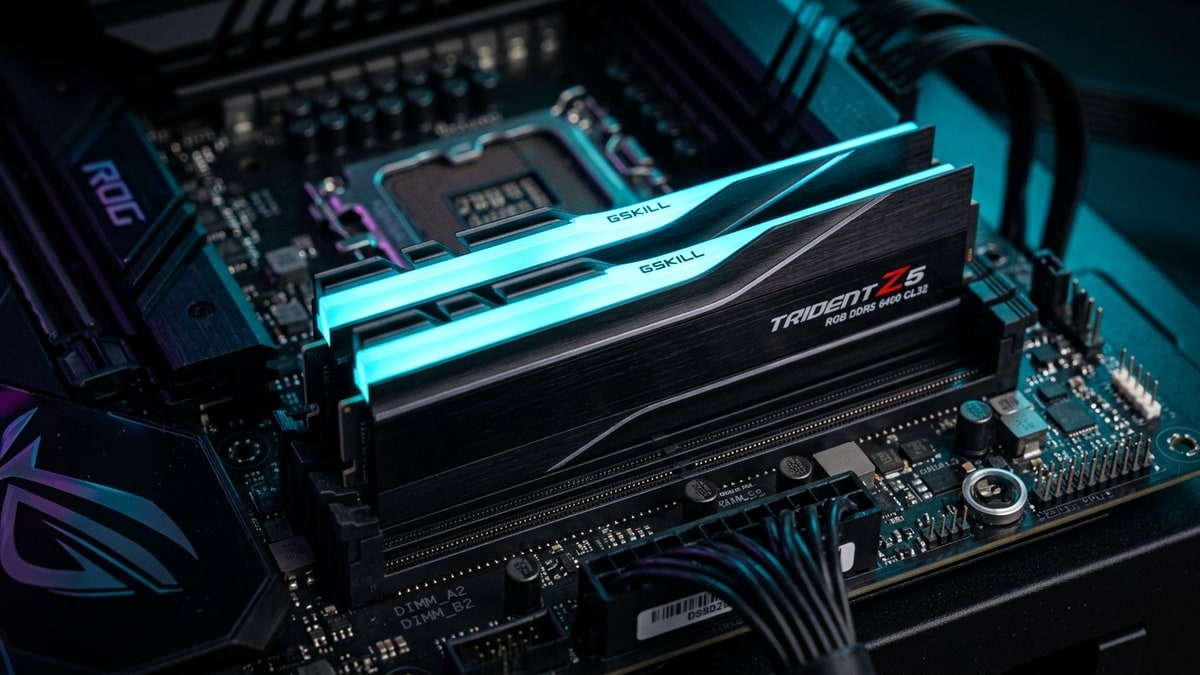
Zen 5’s memory story is a quiet one, but the return on an hour of BIOS work is real: the difference between bone-stock JEDEC timings and a validated EXPO setup can reach double-digit percentages in raw memory bandwidth, with smaller but still worthwhile gains in bandwidth-sensitive applications, and it costs nothing but patience.
AMD positions EXPO — Extended Profiles for Overclocking — as its one-click memory tuning path for Ryzen on socket AM5, with Ryzen-optimized DDR5DDR5. A generation of system RAM (memory); newer and faster than DDR4. profiles baked into compatible kits. Underneath that one click sits a tunable relationship between three clocks — memory, controller, and fabric — and DDR5-6400 is where all three line up. Here is how the pieces fit, and the order of operations for making them stick.
What it covers: A practical tuning walkthrough for EXPO memory profiles on DDR5 kits with Ryzen 9000, up to the UCLK=MCLK 1:1 ceiling at DDR5-6400 speeds. Why it matters: Tuned DDR5-6400 in 1:1 mode can match a DDR5-8000 EXPO profile, so the ceiling is where stability lives. Who should pick this: Ryzen 9000 owners on AM5 who want free memory performance and a stability-test order that keeps a build bootable.
What changed
Ryzen 9000 officially rates DDR5-5600 for a two-DIMM configuration (single- or dual-rank) — the guaranteed, warranty-covered baseline (filling four slots drops the official rating to DDR5-3600). Beyond that lies enthusiast territory, and AMD has been unusually clear about where the sweet spot moved. Where Ryzen 7000 favored DDR5-6000, platform guidance for the 9000 series points to DDR5-6400 as the new sweet spot when the memory clock and controller run in lockstep — and warns that gains diminish past that point.
AMD also enabled two enablers for pushing beyond the sweet spot when 1:1 runs out of headroom:
- A 1:2 (UCLK=MCLK/2) mode, surfaced through motherboard vendors, which lets kits run at DDR5-8000 with half-speed controllers.
- Memory Overclocking on-the-fly, applying memory tweaks from within the operating system instead of the BIOS, plus Memory Optimized Performance Profiles that tighten sub-timings rather than chasing raw MT/s. AMD’s own slide materials acknowledge that a tuned DDR5-6400 can match a DDR5-8000 EXPO profile in real applications.
And the certification program itself moved: AMD now lists kits as EXPO: Featuring Ultra Low Latency, a stricter certification tier for memory tested at aggressive primary timings (lab examples include DDR5-6000 at CL28–CL36 classes), targeting responsiveness gains rather than headline frequency. Memory makers ship kits with profiles tuned for exactly the ratios discussed below.
How it works
Three clocks govern AM5 memory behavior, and keeping their names straight is half the battle:
- MCLK (MEMCLK) — the actual memory clock. DDR5-6400 runs at 3200 MHz here.
- UCLK — the memory controller clock inside the I/O die. It can run equal to MEMCLK (1:1 mode) or at half MEMCLK (1:2, sometimes called UCLK=MCLK/2).
- FCLK — the Infinity Fabric clock that links the compute dies to the I/O die. It defaults around 2000 MHz on AM5.
| Clock | What it is |
|---|---|
| MCLK (MEMCLK) | the actual memory clock. DDR5-6400 runs at 3200 MHz here |
| UCLK | the memory controller clock inside the I/O die |
| FCLK | the Infinity Fabric clock that links the compute dies to the I/O die |
Rule one: keep the controller synchronous. With UCLK = MEMCLK, the practical ceiling on Ryzen 7000 and 9000 is generally DDR5-6400 — a small number of chip samples stretch to 6600, but 6400 is where tuning effort converts to stability with high probability. Above that, the board drops to UCLK=MCLK/2, halving controller frequency so the DRAM can run at DDR5-8000+. That buys raw bandwidth at the cost of latency, which is why past the 1:1 ceiling, benchmarks improve less than the frequency jump suggests.
Rule two: know that the fabric is the bottleneck, not the RAM. The Infinity Fabric shuttles data between the CPU cores and the memory controller, and if its bandwidth trails what the memory can supply, fast RAM gets wasted. Keeping FCLK/MEMCLK ratios in clean sync — for example, FCLK 2200 with DDR5-6600 (MEMCLK 3300 MHz) giving a tidy 2:3 — measurably lowers latency compared to awkward mismatches. Ryzen sample-to-sample FCLK stability ceiling tends to land in the 2000–2200 MHz range; pushing past a chip’s ceiling typically fails regardless of voltage persuasion.
Rule three: voltages are domain-specific. Community measurement has mapped which knobs move which clock:
- VDDSOC (SoC voltage) — most directly influences UCLK stability
- CPU VDDIO — usually needs a bump as MEMCLK rises (sub-1.35V territory is commonly enough for DDR5-6400, while DDR5-8000 attempts often land between 1.4V and 1.45V, with wide chip-to-chip variance)
- VDDP — feeds the memory PHYs and rarely needs more than roughly 1.175V even at extreme clocks
- the VDDG pair — tunes the fabric PHYs and can settle marginal FCLK settings but almost never rescues a chip that refuses to POST at a given fabric speed.
AMD’s AGESA “Nitro Mode” releases additionally opened a DDR5-8000 path on older Ryzen 7000 chips by relaxing internal UMC-to-PHY timings.
Every one of these adjustments counts as overclocking by AMD’s own definition: running memory beyond published specifications — including loading an EXPO profile — can void processor warranty. That is the platform’s posted position, and it is worth accepting consciously before touching a single setting.
The tuning sequence
A stable DDR5-6400 setup on Zen 5 follows a disciplined order. Skipping stages is how boot loops happen.
- Update the BIOS first. AGESA revisions materially change memory training behavior on AM5. Whatever your board shipped with at launch is likely several iterations behind on memory compatibility.
- Baseline at AUTO/JEDEC. Boot with the kit unloaded — DDR5-5600 at stock for a 2x16GB setup — and confirm the platform is healthy before changing anything. Screenshot a memory benchmark and a 3DMark-class CPU score as your baseline.
- Load the EXPO profile. One click, one reboot. If the kit is DDR5-6400 and the board defaults to UCLK=MCLK/2 at that speed, manually set the controller back to 1:1 — for DDR5-6400 (MEMCLK 3200 MHz), UCLK should also read 3200.
- Set FCLK deliberately. Leave Auto at first (typically 2000 MHz), confirm full stability, then explore 2033–2200 MHz in small steps for a cleaner sync ratio. If the board fails to POST, fall back — no voltage pairing will make an unlucky sample behave.
- Verify in the OS. Tools like ZenTimings or HWiNFO report MCLK, UCLK, and FCLK live; check that 1:1 took effect and the fabric clock is what you asked for.
- If it fails, back off one notch. Drop from 6400 to the EXPO 6000 profile before reaching for voltage. The QVL-listed DDR5-6000 CL30 EXPO kits remain the highest-probability plug-and-play path on the platform.
The stability test order
Stability testing is where most tuning guides get vague; keep it concrete:
- Memory stress first — run a dedicated memory test (MemTest86-class bootable, or a Windows-side OCCT/Karhu/TestMem5 pass) until clean. WHEA errors and memory-specific failures mean the DRAM voltages, timings, or UCLK ratio need attention.
- Fabric stress second — workloads that hammer cross-die traffic expose FCLK instability that pure memory tests miss. Audio dropouts and USB weirdness can also trace back to an unstable fabric.
- Real games last, at the settings you actually play. Judge the tune on frame-time consistency and 1% lows, not peak bandwidth numbers — asynchronous ratios inflate synthetic read speeds while quietly adding latency.
Only when all three stages pass should you lock the profile in and save it in the BIOS profile slots, so a future CMOS reset never turns into a re-tuning session.
What it means
For Ryzen 9000 owners, the platform’s memory architecture rewards a specific kind of restraint. The winning build is not the one with the biggest number on the box — AMD’s own guidance acknowledges that tuned DDR5-6400 in 1:1 matches DDR5-8000 EXPO in real workloads, since the extra bandwidth beyond the synchronous ceiling arrives with a latency surcharge.
Buy an EXPO-certified kit in the 6000–6400 range from your board’s QVL, run UCLK=MCLK, set a sane FCLK, and prove it stable in that order. The gains over JEDEC stock are the closest thing to free performance the AM5 platform offers — just read the warranty footnote before you start.
Next read
- For the X3D chips these kits are usually paired with, see Ryzen 9000X3D Street Pricing and Stock Through Mid-2026: What the Discounts Signal.
- For the VRAMVRAM. Video RAM — memory on the graphics card used for textures and frames; more of it lets you run higher settings. gap that also decides a PC build, see RTX 5060 Ti 16GB vs 8GB: The VRAM Gap That Collapses at 1440p Ultra.