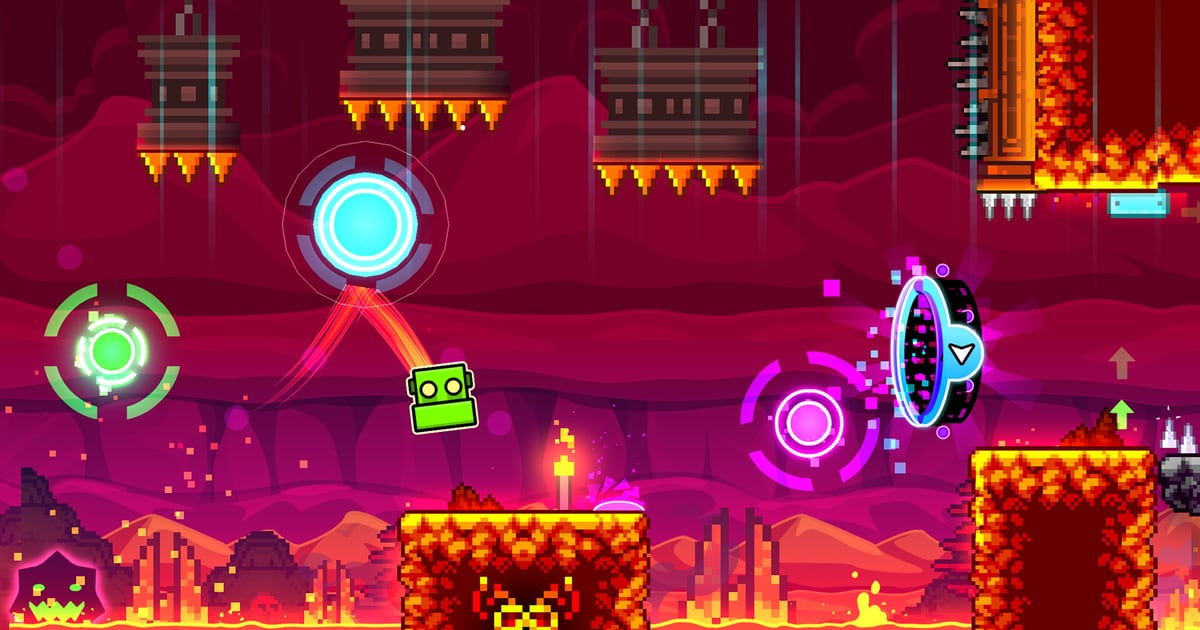
Geometry Dash is still inside the top 30 of Steam’s most-played chart on 29 October 2026. The site’s earlier report on 2.208’s input settings and leaderboards covered the competitive layer: how much precision the game hands a click, and how progress got split across boards. This piece takes the two halves that article left alone — the editor that produces levels, and the difficulty ladder players climb. Everything here is current to build 2.2091, and where the published notes are thin, that is stated rather than filled in.
What this covers: the editor’s object and trigger vocabulary — group IDs, spawn and touch triggering, what a Move trigger actually computes — plus how a level is uploaded, reviewed and rated, what each difficulty label and star value is worth, and the practice mechanics that turn attempts into a completion. Why it matters: the editor is a logic system rather than a paint tool, and the difficulty badge is not purely a difficulty measurement. Both are widely assumed and rarely stated plainly. Who should care: creators wiring their first trigger stack, players deciding which demon tier to attack next, and anyone who has read a star count and drawn the wrong conclusion from it.
Which build the editor is actually on
The wiki’s update log dates 2.209 to 15 October 2026 on Steam, Android and iOS, with 2.2091 following on Steam on 16 October and on Android and iOS on 18 and 19 October respectively. Steam’s own announcement post, dated 15 October, carries the same feature list, so the version chain is not in dispute.
For creators, the items on that list that matter most are “Editor Sounds and Packs”, “Import/Export Editor Levels”, “Auto-Save and Auto-Backup levels”, “Group ID Names”, “Start Position Switcher” and a catch-all line reading “Improved Editor UI and Tools”. Two player-side entries — “Death Tracking” and “Death Markers” — land on the practice side below. Neither the Steam post nor the wiki describes the marker interface, so no claim is made here about how it works.
The 2.2091 hotfix touched the editor directly: it restored “halfstep buttons to Legacy move menu”, added an “Object Options keybind”, fixed editor control buttons getting stuck during scale or transform operations, and renamed “Live Markers” to “Live Practice Markers”, limited to practice mode and local levels. That rename matters — a system framed as a general editor aid now runs only where practice runs.
Update 2.21 is not out. The wiki marks it upcoming and lists “An upgraded UI for editor features added in Update 2.2, such as auto-build”, so treat that as pending rather than in your install.
The object vocabulary: tabs, layers and groups
The wiki’s Objects page splits the build toolbar by function: platforms (blocks on the first tab, other platforms on the second, slopes on the fourth, introduced in Update 1.8), hazards (spikes, pits, animated hazards, saw-blades), pads and rings, portals, pick-ups, letter blocks, and decorations. Triggers sit on the thirteenth tab as of Update 2.1, with letter triggers on the sixth.
The object budget explains why modern levels look the way they do. The cap began at 4,000, reached 15,000 by 1.9, 30,000 in 2.0 and 80,000 in 2.1. As of Update 2.2 there is no hard limit: the 40,000 and 80,000 thresholds remain as markers, but both can be removed. Colour channels followed the same curve — four in 1.9, effectively unlimited in 2.0, and a maximum of 999 as of 2.2.
Three structures do the organisational work. Editor layers control what can be selected, deleted or placed at a time; the “All” layer reaches everything, and anything placed there lands in layer 0. Group IDs are the wiring bus: nothing moves, scales or recolours until it belongs to a group. And the editor separates Build, Edit, Delete and Swipe modes, with Free Move and Free Rotate inside Edit, a grid snap, Link Objects, and Copy Values/Paste State for carrying colour, group ID and extra attributes between objects.
Triggers: the level’s logic layer
The wiki counts 134 trigger types, or 135 counting the circular force block separately. The in-game help is not the place to learn them: before 2.2, the wiki notes, almost every trigger added in 2.1 had placeholder help text.
The wiring pattern is short and worth memorising in order. Place the object; open Edit Group; set a Group ID; press Add, which the wiki flags as “crucial”; place a trigger and open Edit Object; aim the trigger at the same Group ID; then drag the X and Y sliders and the duration slider. Skip the Add step and the group does not exist — the usual reason a first Move trigger appears to do nothing.
Behaviour then splits along two checkboxes that decide when a trigger fires. “Touch Triggered” gives the trigger a hitbox so it only fires when the player enters it. “Spawn Triggered” makes it inert until another trigger spawns it; the spawn, touch, count, instant count, collision, state, time, end and on-death triggers, plus the toggle block, can all do the spawning. Checking either one reveals a third option, “Multi-Trigger”, which allows repeat activation instead of one shot — the switch behind loops and spawn remapping.
| Editor control | What it changes | Where it bites |
|---|---|---|
| Group ID + Add | Creates the target set a trigger acts on | Without Add, the group never exists |
| Move X / Move Y | Displacement in units; 10 units equal one block, or 30 with Small Step on | Values are units, not blocks — the usual off-by-30 |
| Lock X / Lock Y to player or camera | Copies player or camera movement onto the target, multiplied by Mod X / Mod Y | The object is not stuck in place, it matches a moving reference |
| Target Mode | Moves a group onto another group’s position, centred on Center Group ID | Calculated once at trigger time unless Dynamic Mode is on |
| Direction Mode | Moves along the centre-to-target direction by a fixed Distance | Overshoots the target rather than stopping on it |
| Move Time | Duration; -1 means forever | Zero duration is not instant when chained through a spawn trigger |
Two limits catch people out. Triggers and speed portals can only be moved vertically in classic mode, so horizontal movement of a trigger does not apply. And two scales are in play: the Move trigger’s X and Y fields treat 10 units as one block, while the engine’s own object coordinates run 30 units to a block, which is what “Show Object Info” in the editor pause menu reports — so a figure read off one screen will not match a slider on the other.
Update 2.2 then added 86 triggers, including camera manipulation (Zoom, Static, Offset, Rotate, Edge, Guide, Mode), Random and Advanced Random, End, Options, Player Control, Scale, Gravity, TimeWarp and event-link triggers, plus a particle editor, an SFX trigger and an Auto-Build system that places premade designs. That is the layer most large modern levels are built on.
How a level gets rated
Submission is gated before anyone judges quality. A level cannot be uploaded with a non-disabled start position; it needs a name, which cannot be changed afterwards; it must be at least 10 seconds long and carry at least 2,000 objects, though the wiki notes plenty of levels below both thresholds still exist; and since Update 2.11 an account is required to upload. Creators may request a rating but “cannot request a sub-difficulty for Demon levels” — the star value is a request, the label is not.
Community signals come first. Players like or dislike a level and suggest a star difficulty, and the wiki states that “a level requires three submitted user ratings to receive a difficulty rating”. Rating Advisors, first assigned in Update 1.7 and formalised in Update 2.0, “can suggest levels to RobTop for rating and hold higher priority when suggesting Demon difficulty ratings”. Leaderboard Moderators — first assigned in 2.11 — hold higher priority on Demon difficulty and manage allowlisting for the global Top 1,000 and Extreme Demon leaderboards. RobTop assigns the final rating.
| Rating type | Creator points | Visual marker on the level |
|---|---|---|
| Rate | 1 | Standard difficulty icon |
| Feature | 2 | Yellow glow around the difficulty icon |
| Epic | 3 | Yellow flame outside the icon |
| Legendary | 4 | Purple flame around the icon |
| Mythic | 5 | Blue flame plus particles |
Ratings can also come off. The wiki records de-rating for illegitimate verification, wholesale copying, updates that make a level unrateworthy, and offensive imagery or text, and puts the count at 704 known de-rated levels as of 24 August 2026.
Contests are the other route in: the wiki counts nine level creator contests producing levels for 16 gauntlets, with winning submissions implemented in-game. Steam’s news feed carried the Duality Gauntlet Contest results on 22 August 2026.
What the difficulty labels mean
Every rated classic level pays out on one scale, and the badge, the star count and the side rewards move together except for Auto levels, which pay no diamonds at all.
| Difficulty | Stars | Mana orbs | Diamonds |
|---|---|---|---|
| Auto | 1 | 0 | 0 |
| Easy | 2 | 50 | 4 |
| Normal | 3 | 75 | 5 |
| Hard | 4 or 5 | 125 or 175 | 6 or 7 |
| Harder | 6 or 7 | 225 or 275 | 8 or 9 |
| Insane | 8 or 9 | 350 or 425 | 10 or 11 |
| Demon (all five sub-tiers) | 10 | 500 | 12 |
The five Demon sub-difficulties — Easy, Medium, Hard, Insane and Extreme — arrived in Update 2.1 and are searchable by pressing the plus sign after selecting Demon in the search filter. What they do not change is the payout: an Easy Demon and an Extreme Demon both award 10 stars, 500 mana orbs and 12 diamonds. The sub-tier is a difficulty statement; the reward is not tiered to match it.
Nor is the number on the badge a pure difficulty measure. The wiki documents two current mismatches — Luster rated Easy with 9 stars and Smetana rated Normal with 9 stars — both side effects of being downgraded from Demon to Insane. Read a star count as a rating band, not a measurement.
The ladder above Extreme
Past the in-game labels, difficulty is maintained by the community rather than by RobTop. Pointercrate’s Demonlist ranks the 150 hardest classic Demons, split into a 75-level Main List and a 75-level Extended List, with a Legacy List for levels pushed out. The wiki is explicit that RobTop “does not officially manage the list”, though moderators he appointed have been involved.
The API behind that list publishes a “requirement” figure per level, the minimum percentage for a qualifying record on Main List entries. In the top ten as fetched for this piece, GRIEF sits at position 1 with a requirement of 76, Tidal Wave at 7 with 72, and Amethyst at position 5 with 59. A Rated+ list admitting unrated levels was implemented on 22 October 2026.
The All Rated Extreme Demons List covers the wider field: established 17 November 2022, it ranks every rated Extreme Demon, and since 15 September 2024 has taken its Top 150 from the Demonlist and the Platformer Demonlist. Neither list is a game feature, but both are what the phrase “hardest level” refers to in practice.
Practice habits that actually convert
Practice mode is more specific than “checkpoints on”. It is enabled from the pause menu with the green gem button, places checkpoints automatically at intervals by default, lets you turn Auto-Checkpoints off, and lets you remove the last checkpoint repeatedly. On Steam, Z places a checkpoint and X removes it. On the cube, ball, robot and spider forms, checkpoints generate when the player connects to a safe surface after a series of movements; on ship, UFO and wave they generate a set distance behind the icon. Progress is recorded separately, pays no standard rewards, and coins inside the level pass through as decorations.
Platformer levels differ: their checkpoints are static objects you place, activated by touch with a lightning effect, and by default they activate once unless an option makes them multi-activate. Practice mode was missing from platformer levels when 2.2 launched; it arrived in 2.201 on Steam and 2.205 on mobile.
Two additions change how a session can be structured. Update 2.206 added a “back to the last checkpoint option on the Practice Complete screen” and “Ignore Damage in editor levels”, the second letting a creator test routing without a death resetting the run. Update 2.209 added death tracking and death markers, and 2.2091 confined live practice markers to practice mode and local levels. Because the notes list those features without describing them, what follows is reasoning from the mechanics above, not a claim about a menu.
Start positions are a testing tool, not a shipping one: a level with a non-disabled start position cannot be uploaded, which is why segmented practice runs never appear in a published level. The 2.209 Start Position Switcher makes holding several of those segments at once practical, and that matches how the top of the ladder is measured — Pointercrate’s requirement field only makes sense if players record runs from a chosen percentage forward, and Amethyst’s threshold of 59 says a run from 59% is a recognised feat on the fifth-hardest level there.
The habits that follow are unglamorous. Practise in segments defined by a start position, and extend a segment only once the section beyond it is repeatable, because a checkpoint you cannot reach teaches nothing. Use practice mode for routing and normal mode for retention — practice progress pays nothing, so the clear still needs one unbroken run. And when a level’s label and star count disagree, treat neither as a training target; the list position and record threshold say more about what a level demands than its badge does.